
Treat “parts wizard” as a category label
The lookup experience behind the label is what matters for evaluation. In practice, it may describe an electronic parts catalog, an interactive manual, or another guided lookup workflow.
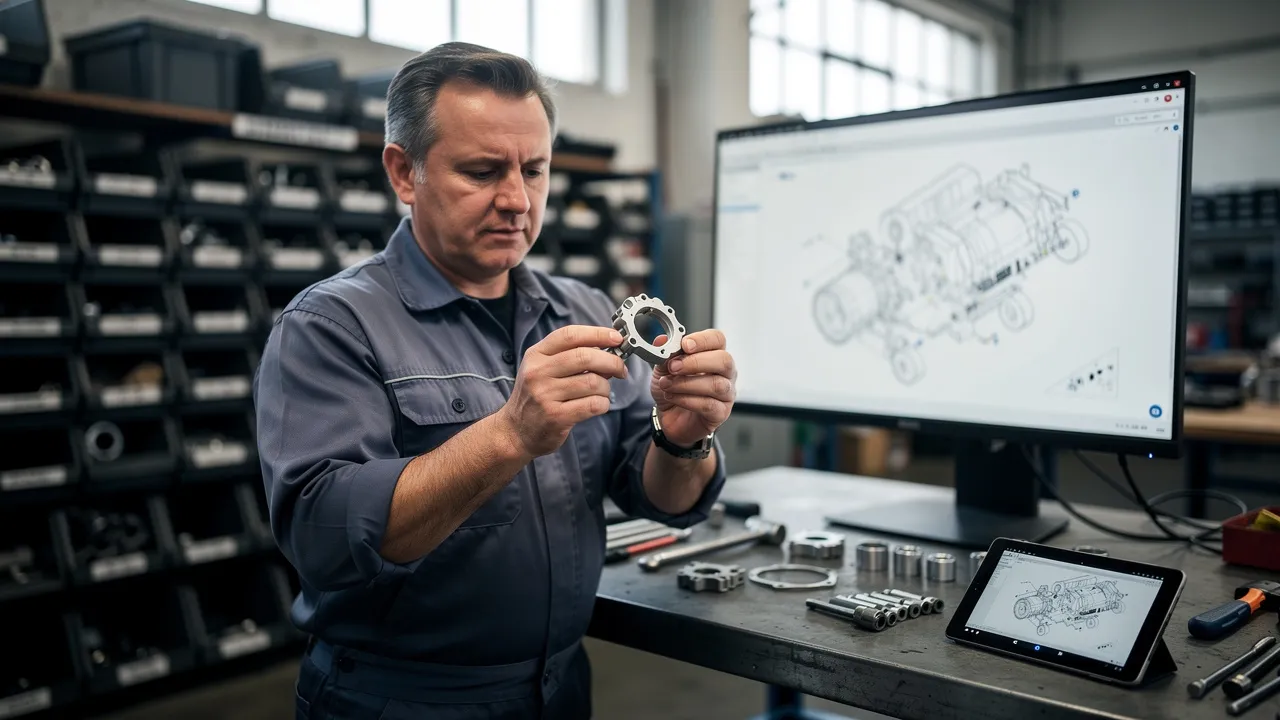
Electronic parts catalog software links parts lists to diagrams for technicians, dealers, and customers. An interactive 3D catalog may let you rotate, pan, and zoom into an exploded view of an assembly, giving you another way to compare a component with the equipment in front of you. The useful question is not whether a tool carries the label “parts wizard.” The useful question is whether it connects the correct equipment identity to the correct bill of material before you order.
For a manufacturer service or warranty team, that distinction matters. A search box alone may find a part number, but a parts-identification workflow should help you move from the machine or vehicle to its applicable assembly, then to a verified part reference. Treat the label as a starting point for evaluation, not as proof of what the tool can do.
Separate equipment-part lookup from inventory scanning
Equipment-part lookup and dealership inventory scanning solve different operational problems. An equipment-part lookup helps you identify a component from an equipment-specific catalog, while inventory scanning helps a dealership receive, locate, bill, and manage parts.
A parts-inventory scanning product can scan parts directly into a dealer management system, provide real-time updates through Wi-Fi, check in parts, perform bin checks, and create labels. Its product page also describes eliminating handwritten orders or handwritten part numbers and claims to reduce check-in time by 50%. That 50% figure describes a claimed reduction in check-in time for the product’s dealership workflow; it is not a general result for every parts-lookup system.
Use the distinction to classify the need:
- Choose an identification-focused workflow when your main problem is finding the applicable assembly, bill of material, or part reference for a specific machine or vehicle.
- Choose an inventory-focused workflow when your main problem is receiving stock, locating bins, updating records, billing, or labeling parts.
- Look for both capabilities only when your service or dealer process genuinely needs both identification and inventory control.
One industry report says industrial enterprises deploying integrated digital platforms average a 31% improvement in first-time-fix rates and an 18.3% reduction in standing inventory. Use the figures as attributed context, not as a forecast.

Follow the equipment into the right assembly
The lookup flow should begin with the equipment, not with an isolated part description. An illustrated parts catalog combines CAD illustrations with bill-of-material data containing component identities, quantities, and relationships to assemblies. Interactive catalogs can make those illustrations clickable, so you can move from an assembly view to related part information instead of comparing disconnected documents.
A practical lookup sequence looks like this:
- Identify the specific equipment. Start with the serial number, VIN, model number, job number, or another unique identifier. The identifier should point to the equipment record or bill of material that applies to the unit needing service.
- Open the associated bill of material. Check the assembly structure rather than searching only for a broad model name. Deep equipment may contain several levels of assemblies and sub-assemblies.
- Inspect the illustrated assembly. Use the diagram to locate the component and understand its relationship to neighboring components. A 2D or 3D view can connect the visual position with the listed part information.
- Open the part record. Review the available reference and any associated manual, video, or other documentation before treating the result as ready for ordering.
- Carry the verified part into the next workflow. Depending on the system, that may mean adding it to a shopping cart, passing it to a dealer, or handing it to a service or warranty process.
Equip360 supports this type of path. We let users review interactive sub-assemblies and add parts to a shopping cart from 2D and/or 3D drawings. Our interactive 2D/3D bill-of-material catalogs help users identify parts and access associated manuals, videos, or other documentation.
Use catalog data to confirm part relationships
Catalog data determines whether a visual match is meaningful. Catalog reliability depends on accurate part numbers, mapped components, product applicability, and replacement-part relationships. A diagram can show where a component sits, but the accompanying data must establish which reference applies to which equipment, assembly, and configuration.
Product upgrades and design changes can modify components and part numbers, leading to replacement parts being introduced. Distributed documents therefore need to stay consistent with those changes. When an older document still shows a previous component or part number, you may be working from information that no longer matches the equipment configuration.
A useful catalog review asks whether the system connects these relationships:
- The component to its assembly and sub-assembly.
- The part number to the equipment or configuration where it applies.
- The original reference to an approved replacement or supersession relationship.
- The illustrated position to the listed component identity.
- The catalog record to the ordering or support workflow that follows identification.
A 3D catalog can let you rotate, pan, and zoom into an exploded view of the exact assembly. One industry source says that this visualization can reduce guesswork and help you match screen geometry with the broken machine. Treat that visual comparison as an aid to identification, not as a substitute for checking the equipment-specific data and compatibility.

Check the link between equipment, diagrams, and part records
Printed and PDF catalogs can make it difficult to connect a parts list with the diagram that shows the component. When the list and illustration are separated, you may have to compare pages, interpret callouts, and decide whether a similar-looking component is the same item. That extra comparison can contribute to inaccurate orders and equipment downtime while the correct part is found.
Manual identification may also require several documents. When component identification is difficult, a technician may need to consult multiple documents and contact dealer support for confirmation. This does not mean that every PDF is unusable; it means that a static document places more of the cross-reference work on your team.
An illustrated parts catalog can simplify identification by showing a component in an exploded-view diagram and providing related part information. Electronic parts-catalog software can also replace static 2D schematics with interactive models that connect physical equipment with digital ordering. That connection marks the lookup boundary: the picture and part record are tied to the equipment-specific bill of material.
For this category, the key boundary is the connection among the equipment identity, the illustrated assembly, and the applicable bill of material. If one of those remains separate or unclear, the team still has to perform a manual cross-reference before treating the part as identified.
Verify the match before accepting the part
Part verification starts with the equipment identity. Before ordering, record the equipment manufacturer, full model, and serial number because the machine’s build version can affect which components are fitted. The exact model code may differ from a sticker or sales paperwork, and every character in the full alphanumeric serial number matters.
Use this verification sequence:
- Confirm the manufacturer and exact model code. Do not rely only on a familiar model name or a shortened label. Compare the exact code with the equipment record or identification plate.
- Record the full serial number or PIN. Ordering by model name without the serial number can result in the wrong part because the same model may have different parts at different serial numbers. If production information is encoded in the PIN, the country of manufacture and build date can help verify the correct serial-number break range.
- Check the configuration. For engine components, confirm the emissions tier. A Tier 4 Final engine uses different parts than a Tier 3 engine even on the same machine model. Fuel injectors, water pumps, and engine gasket sets can differ between those configurations.
- Identify the correct assembly. Attachment and machine assemblies can have separate parts books and different part numbers for components that appear similar. Make sure the component belongs to the machine, attachment, or sub-assembly you are actually servicing.
- Check the exact part reference. When a part number is available, compare it with the parts list or service documentation, including every revision or suffix. Check its applicability and any replacement-part relationship shown for the equipment-specific bill of material.
- Inspect unclear identification details. A misread plate character can lead to an incorrect lookup. Clean the plate, take a photo, and verify characters that can be confused, such as the letter O and zero or the number 1 and the letter I.
- Check compatibility before ordering. Do not treat a visually similar spare part as interchangeable. Identify the machine and component accurately, then check compatibility before you accept the match.
Two identical machines built a few months apart can have different part numbers for the same component, so each machine should be checked individually. A suggested result becomes more reliable when the equipment identity, applicable assembly, exact reference, configuration, and compatibility all agree. If one of those links remains unclear, keep the result unresolved rather than converting a visual resemblance into an order.
Record confirmed parts for future enquiries
A confirmed part reference becomes more useful when you retain it against the specific machine serial number. When a part number is available, check the parts list or service documentation for the exact reference, including any revision or suffix. If the reference is unclear, do not guess; a guessed number can lead to the wrong item being quoted.
Create a concise record for the asset:
- The manufacturer, exact model, and full serial number.
- The assembly or sub-assembly where the component appears.
- The confirmed part number, revision, suffix, and any replacement reference.
- The quotation or order reference associated with the confirmation.
- The date and context of the enquiry, if your asset record supports it.
After confirming the correct part, retain its reference against the machine serial number and keep the quotation or order reference in the asset record. Future enquiries can then begin with a documented reference rather than an unverified recollection. A retained record does not remove the need to check whether the equipment or configuration has changed; it gives your team a traceable starting point.
Judge whether the workflow fits service and warranty work
A parts-identification workflow fits service and warranty work when it connects equipment-specific information with the operational steps that follow the lookup. Start with the work your team handles, then check whether the experience supports that path without forcing service staff, dealers, or customers to rebuild the same equipment context in another system.
Use these fit criteria:
- Equipment specificity: The workflow should support serial number, VIN, model number, job number, or another unique identifier that leads to the applicable assemblies and bills of material.
- Structured identification: Your team should be able to move through illustrated assemblies or sub-assemblies and inspect the part reference rather than rely on a broad keyword result.
- Service documentation: Associated manuals, videos, or other documentation should be available where the workflow requires them.
- Commercial handoff: The identified part should be able to move into an order, shopping cart, or dealer process without losing the equipment context.
- Aftermarket support: The surrounding process may need order status, returns, warranty claims, or vehicle registration, depending on your operating model.
- System connection: Catalog software can integrate with ERP, dealer-management, inventory, and order-management software to coordinate identification and ordering.
- Lifecycle depth: The workflow should suit the number of configurations, BOM levels, and equipment lifecycles your team supports.
We design Equip360 for complex equipment with deep bill-of-material structures, multiple configurations, and long equipment lifecycles. We integrate with parts catalogs and ERP data. We allow dealers and customers to find the right part, place and check orders, process a return, register a vehicle, file a warranty claim, and build a new vehicle. We create a smoother, more reliable process from identifying the correct part to placing an order.
Use those statements as the scope of our configured platform, not as a universal definition of every parts-lookup tool. For your evaluation, map one service request, one warranty request, and one return request through the proposed workflow. A fit is easier to judge when you can see exactly where equipment identity, part verification, documentation, ordering, and follow-up work connect.
Know what changes the implementation cost
Parts-wizard-style implementation cost depends on the shape of the catalog and the workflow around it. Interactive parts-catalog offerings may use custom enterprise pricing, flexible quote-based pricing, or quote-based pricing that varies by deployment. A quote therefore needs to reflect more than the presence of a diagram.
Ask how the price changes with:
- Catalog volume: The number of products, models, assemblies, and parts that must be authored and maintained.
- Storage and live models: The amount of source data and the number of active 2D or 3D models involved.
- Users and roles: The teams, dealers, customers, or administrators who need access and the workflows each group uses.
- Integrations: The ERP, dealer-management, inventory, order-management, catalog, or commerce connections required to pass accurate information between systems.
- Deployment: The channels, environments, and product lines included in the implementation.
- Product or dealer volume: The number of products, organizations, or dealer accounts supported by the chosen arrangement.
One catalog listed in a software review has published tiers priced at EUR 119 to EUR 389 per month. That EUR 119-to-EUR 389 range measures the listed monthly tiers for that one catalog; it is not a general price for parts-wizard-style software and it is not stated in USD. Other offerings may require a custom enterprise quote or a price that varies by deployment.
Prepare a cost comparison that separates implementation from ongoing operation. Include catalog preparation, data maintenance, integrations, user access, support, and any work needed to keep part relationships current. The most useful question is not simply “What is the license price?” It is “What information and workflow must the price keep accurate over the life of the equipment?”

Verify the part before ordering or installation
Before treating a suggested part as a match, verify the equipment manufacturer, exact model, full serial number, configuration, applicable assembly or bill of material, and exact part reference, including any revision or suffix. Catalog reliability also depends on mapped components, product applicability, and replacement-part relationships.
A visually similar part is not necessarily interchangeable, so check compatibility before ordering.
When identification remains uncertain, contact qualified manufacturer or service support promptly before ordering or installation, particularly when a mismatch could have safety or operational consequences.
Choose the next lookup test
Your next lookup test should follow one recurring parts-identification request from equipment identity through verification and ordering. Choose a real service, warranty, return, or customer-support scenario, then document the model, full serial number, applicable assembly, part reference, revision or suffix, compatibility check, and final handoff. Compare the work required with your current manuals, PDFs, support calls, and ordering process.
A parts-wizard-style experience is worth assessing when your team needs equipment-specific bills of material, illustrated sub-assemblies, documented part relationships, and a controlled path into service or ordering. Ask a qualified manufacturer or service professional to decide individual suitability when the equipment, configuration, or operational consequences make that judgment material. If that workflow matches the needs you have mapped, our Equip360 demonstration can provide the next configured conversation.
Questions to resolve before evaluating a parts wizard
Is “parts wizard” a standardized product or feature?
No. The term can describe a digital parts-lookup workflow, electronic parts catalog, interactive manual, or another guided experience. Evaluate what the tool actually supports, such as equipment-specific bills of material, illustrated assemblies, part verification, and ordering handoffs.
What information should you provide for an equipment part lookup?
Provide the manufacturer, exact model code, full serial number or PIN, relevant configuration details, and the assembly or sub-assembly involved. For engine components, include the emissions tier. If a part reference already exists, provide the complete number with its revision or suffix rather than relying on a shortened or uncertain reference.
What should you do if the lookup suggests more than one possible part?
Pause the order and check the equipment-specific bill of material, applicable serial-number range, configuration, assembly, exact part reference, and any replacement relationship. Do not choose based only on visual similarity or guess an unclear number. If the match remains unresolved, provide the equipment details and available photographs to qualified manufacturer, dealer, or service support.
How does a parts wizard differ from parts inventory scanning software?
A parts-lookup workflow identifies a component from the equipment’s model, serial number, configuration, diagrams, and bill of material. Inventory scanning software supports dealership tasks such as receiving, locating, billing, bin checks, labeling, and updating inventory records. A team may need both, but they address different operational problems.
What does a parts-wizard-style tool typically cost?
There is no single standard price. Interactive catalog offerings may use custom enterprise or quote-based pricing, with costs affected by catalog volume, storage, live models, users, integrations, deployment, and product or dealer volume. One reviewed catalog listed monthly tiers of EUR 119 to EUR 389, but that range applies only to that catalog and is not a general price for these tools.
Sources
- Build Interactive IPCs from CAD and BOM Data - intellinetsystem.com
- Electronic Parts Catalog Software: 2026 Guide | VNTANA - vntana.com, 2026-07-01
- How to Find a Manufacturer's Part Number for Construction Equipment - southeasternequip.com, 2026-07-30
- How to identify the right industrial spare part - safeautomations.com
- Best Interactive Parts Catalog Software (2026 Tools Review) - vntana.com
- Maximize ROI With An Interactive 3D Spare Parts Catalog - Systems Online - sysonline.com
- Parts Wizard | Scan Solutions - scansolutions.com