

Start with an ownership-and-exception map
Online parts commerce is easier to assess when you begin with ownership rather than a feature list. Create an ownership-and-exception map before comparing platforms. For each buyer question, record three things: the information required, the team or system that maintains it, and the route for an exception when the information is missing or unclear.
This map gives equipment manufacturers and distributors a practical way to separate data questions from workflow questions:
- Information: What must a buyer see or know before moving forward?
- Owner: Which team or system supplies and maintains that information?
- Exception: What happens when the record is incomplete, conflicting, or not suitable for an online transaction?
A B2B parts-commerce experience can help buyers find parts, review product details and account terms, confirm stock, and place orders. A product listing alone does not establish compatibility or reserve stock, so the map should show what sits behind the listing rather than treating the catalog as the whole solution.
Use the rest of this guide to fill the map. Start with the relationships that identify a part, then document the information needed for applicability and commercial decisions. Continue through order handoff and post-order status. The result is a set of owned questions to take into an Equip360 evaluation, not a general verdict based only on whether a catalog can be published.
Fill the map with part-identity relationships
Begin the map with the records that give a part its equipment context. List the relationships your buyers and dealer networks rely on: current and legacy part numbers, supersession, obsolescence, vendor references, cross-references, product versions, documentation, and accessories.
Equip360 stores supersession, obsolescence, vendor, cross-reference, and legacy part-number data from an ERP to link customers to the current part number. Treat that as a business-specific point to examine in an evaluation, while separately recording who maintains those relationships in your organization.
A PIM can centralize, enrich, and distribute product information across sales and marketing channels, including technical attributes and product content. In the map, note which attributes distinguish similar records and which team is responsible when an attribute or relationship changes. The owner may be different from the team that publishes the information online.
Use a small set of representative requests to fill this row: a known part number, an older or replaced part, and a request that depends on the relationship between a part and an equipment record. For each request, write down the starting information, the record the buyer should reach, the relationship that makes the result meaningful, and the exception route when that relationship is absent.
The practical question is not how many records can be searched. It is whether your map identifies the information and ownership needed to distinguish related records and keep their relationships current.
Mark the information required for applicability
Use the next row to record what must be known before an online purchase choice is presented. A basic product listing does not establish compatibility or reserve stock, so a searchable record should not be treated as a confirmed fit by itself.
For each part relationship, note the information that supports the decision:
- Product and version: Which product, model, or version is associated with the part?
- Replacement path: Is there a relationship between a legacy or obsolete part and a current replacement?
- Installed-product context: What product or equipment information is available when the buyer needs it?
- Related items: Which accessories, bundles, replacements, or nearby records must remain distinct?
- Supporting information: Which documentation or product information belongs with the relevant relationship?
After listing the required information, add the exception route. If the available records do not support the selection, mark the row for an internal sales or service workflow instead of presenting the choice as settled. That distinction lets the organization identify a data gap without treating the online record as more certain than the underlying relationship allows.
When reviewing the structure behind the experience, consider catalog complexity, flexible data relationships, and connections to the commerce platform and operational systems. The map should show which of those relationships are already owned and which require a decision before the corresponding buyer question can be handled online.
Assign the source of commercial information
Add commercial information to the map only after identifying the part and its applicable context. Record where price, account terms, and stock information come from, who maintains each one, and what should happen when the information changes.
An ERP can manage pricing, inventory, orders, purchasing records, and related operational processes. Connecting ERP, inventory, and eCommerce systems can bring product listings, inventory levels, and order processing into one connected workflow. Those facts describe the systems involved; they do not by themselves define which commercial information a particular dealer or business account should see.
Use four fields for this row:
- Price source: Which account, contract, or customer relationship determines the price information?
- Availability source: Which system or team owns the stock status, and what does that status mean in your operation?
- Account context: What terms or permissions must be known before the information is shown?
- Change or exception route: Who handles a price or stock change that affects an order decision?
Compare the map against more than one account situation, such as a standard account and a dealer account with different terms. Include a part whose availability needs an internal response. The purpose is to expose ownership questions around the displayed information, not to assume that a number on a product page has the same meaning for every buyer.
Give each order handoff an accountable owner
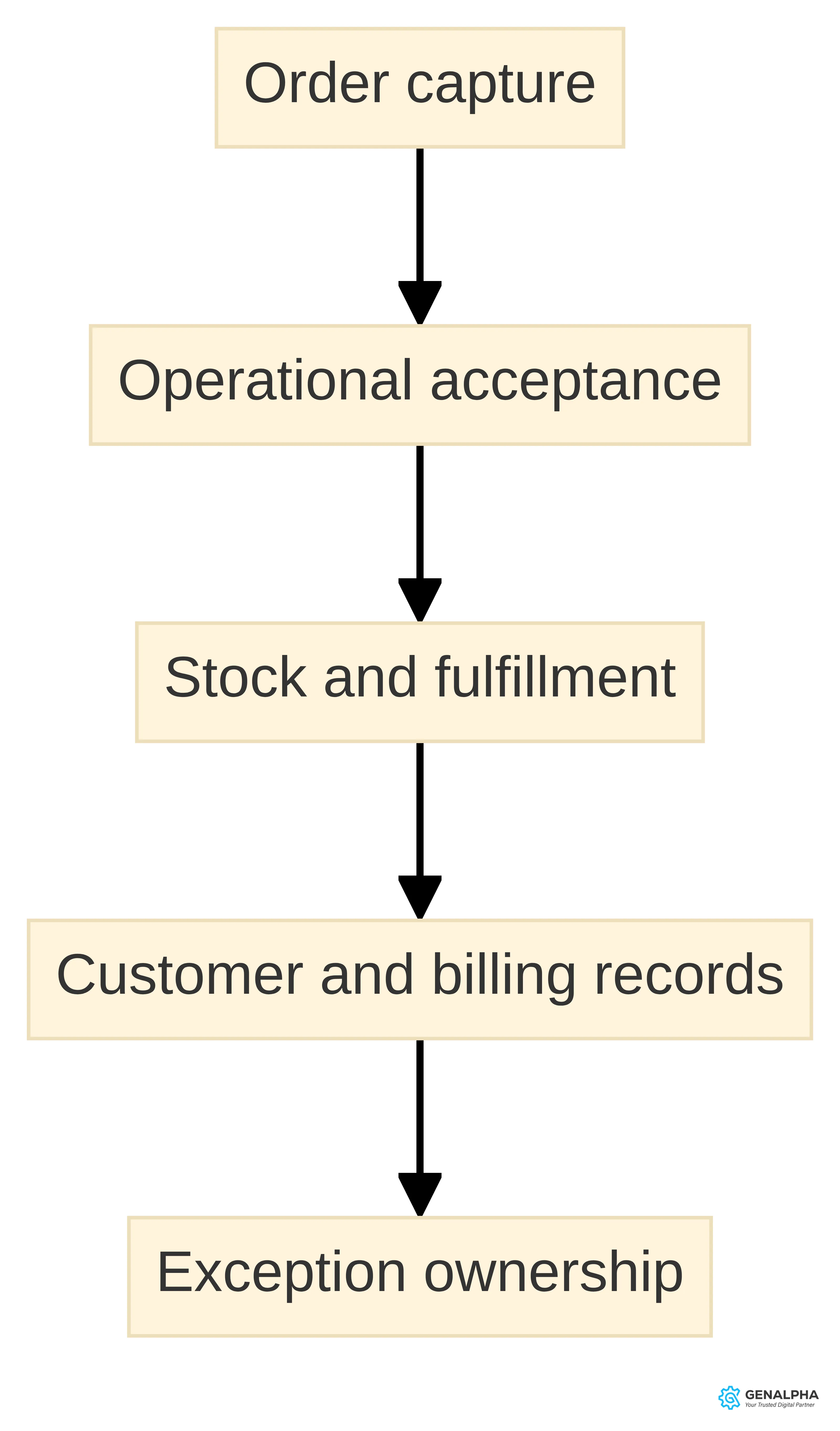
The order row records what happens after a buyer chooses a part. Seller-side spare-parts workflows may connect an order to stock, shipping, customer records, and billing, but your map still needs to identify the destination, the receiving owner, and the route for exceptions.
Document the handoff in terms of information and responsibility:
- Order record: Note the selected part, account context, quantity, and any equipment information your process requires.
- Receiving point: Identify the team or system that accepts the order and the information it needs before fulfillment can begin.
- Operational records: Link the order to the relevant stock, shipping, customer, and billing records.
- Receipt confirmation: State how the responsible team knows the order reached the expected destination.
- Exception route: Record what happens when the part is unavailable, the account needs review, or the order cannot proceed as entered.
Use an existing aftermarket order pattern to populate the row, removing information that should not be shared outside the organization. If a handoff has no named owner or receipt signal, mark that gap for discussion rather than treating the online confirmation as evidence that the internal process is complete.
Set a boundary for post-order status
Use the final operational row to document what the account can learn after an order is placed and who maintains that information. Keep post-order status separate from the information used to choose the part; the two rows answer different buyer questions.
In the Humphrey Service Parts context, we describe real-time visibility into order status, shipment tracking, and invoice history through the eCommerce platform. Keep that description tied to its context when using it as an evaluation question. It is not a general statement about every parts-commerce implementation.
For your own map, record the source and owner for each question:
- Has the order been received and accepted?
- What status is available in the relevant workflow?
- Where does shipment information appear when it becomes available?
- Where can invoice history be viewed?
- Who explains a status that needs interpretation?
Include one straightforward order and one order with an internal exception. If a sales or service team remains responsible for an explanation, record that boundary instead of treating it as a missing online feature. The map is useful when it shows both the information an account can receive and the human or system owner behind it.
Turn unresolved rows into evaluation questions
Once the rows are filled, use the ownership-and-exception map to decide which questions need attention first. A PIM can centralize, enrich, and distribute product information across sales and marketing channels, while an ERP can manage pricing, inventory, orders, purchasing records, and related operational processes. The map keeps those functions connected to the buyer questions without assuming that one system owns every decision.
Review each row in three passes:
- Missing information: Is a required part relationship, product attribute, account term, stock value, order detail, or status absent?
- Unclear owner: Is a team or system responsible for maintaining the information and explaining changes?
- Unplanned exception: Is there a defined destination when the record cannot support the requested online action?
Prioritize rows with an unclear owner or exception route before rows that only require a presentation decision. This gives product, operations, sales, service, and technology teams a shared list of decisions without requiring every function to move into one system.
When the map points to a PIM or other product-data question, examine catalog complexity, flexible data relationships, and integrations with the commerce platform and operational systems. When it points to an ERP or order question, examine the relevant pricing, inventory, order, and customer-record responsibilities. Bring the unresolved rows into platform discussions so the conversation addresses the information and ownership behind the experience.
Take the map into an Equip360 demo
Take the ownership-and-exception map into an Equip360 demo instead of bringing only a general catalog. We offer Equip360, and it is designed for parts dealers and manufacturers. Our Equip360 demo includes a live look at tools that help businesses sell online.
Use the rows with the clearest ownership questions as the session agenda:
- Part relationship: Bring a legacy, replacement, cross-reference, or equipment-related record. Ask which information your organization would need to maintain and what happens when the relationship is incomplete.
- Commercial context: Bring an account situation with the price, terms, and availability questions that matter to your dealer network. Compare what the session shows with the sources and owners recorded on the map.
- Order exception: Bring a status or handoff question that your sales, service, fulfillment, or billing teams already recognize. Ask where the order information would come from and who would handle an exception.
We collaborate with companies during discovery to identify the equipment and parts data needed to launch an eCommerce site. Use that conversation to discuss the records you can provide, the relationships that need clarification, and the owners who need to participate.
Before the session, mark each selected row as owned, needing a data decision, or needing an exception decision. During the session, record what you observed, what depends on your data or ERP process, and which owner must answer the remaining question. That record gives you a focused basis for deciding whether a further Equip360 evaluation fits your organization.
Build an ownership-and-exception map before an Equip360 evaluation
An ownership-and-exception map gives an equipment manufacturer or distributor a practical way to assess online parts commerce before requesting a focused Equip360 evaluation. Instead of treating the exercise as a catalog review, document who supplies each important piece of information, who maintains it, where the next handoff occurs, and what happens when the expected information is missing or conflicts.
Use five fields for every buyer-facing action:
- Buyer question: What must the buyer find out or complete?
- Supporting record: Which part, equipment, account, inventory, order, or service information answers the question?
- Information owner: Which team, system, or business process supplies and maintains that information?
- Next handoff: Where does the request go after the buyer receives an answer or submits an order?
- Exception response: Who reviews the case when the information is incomplete, inconsistent, or unavailable?
This map is useful because a buyer can encounter a problem even when a part has a product page. A product listing alone does not establish compatibility or reserve stock. The evaluation therefore needs to show how your organization handles the information behind the page and the exceptions that occur around it.
Start with the information that identifies the part.
Write down the starting information a buyer or dealer can provide, such as a part number, serial number, unit ID, or equipment reference. A dealer-portal example supports searches by serial number or unit ID, so those search paths are reasonable items to test in a demonstration. The map should also show the records that connect current parts with superseded, obsolete, vendor, cross-reference, and legacy part numbers.
Our Equip360 product stores supersession, obsolescence, vendor, cross-reference, and legacy part-number data from an ERP to link customers to the current part number. Use that supported capability as a question for your map: which source contains the relevant relationship, who keeps it current, and what should happen when no relationship is found? If the answer depends on a manual review, record that review as part of the process rather than treating the search as complete.
Assign responsibility for applicability.
After a part is identified, the buyer still needs to know whether it applies to the equipment in question. Record the product version, equipment relationship, replacement relationship, documentation, and accessory information that support that decision. Those relationships belong in the map as information that must be available before a purchase choice is presented.
For an unresolved match, specify the person or process that reviews the case and the information needed to close it. For a conflicting replacement record, specify which record is reviewed and where the decision is recorded. This is not a claim that every organization uses the same approval structure. It is a way to expose the structure your organization would need to operate and maintain.
Make commercial information an owned input.
A B2B parts-commerce experience can help buyers find parts, review details and account terms, confirm stock, and place orders. List each of those buyer questions separately. For example, the map can distinguish the source for a price, the source for an account term, the source for stock information, and the process that handles a request when one of those values is absent.
An ERP can manage pricing, inventory, orders, purchasing records, and related operational processes. Connecting ERP, inventory, and eCommerce systems can bring product listings, inventory levels, and order processing into one connected workflow. Use those facts to identify the system relationship to examine, not to assume that every value is available for every part or account.
A useful map records whether the commerce experience receives a value from the ERP, another operational record, or a review process. It should also state who examines a missing or conflicting value. If stock information has no accountable source, the issue is not resolved by displaying a blank field; the map should identify the next review and the information required before the buyer receives a purchasing response.
Trace the order handoff.
An order should have a documented destination after submission. Record whether it moves to a fulfillment system, an internal order process, or another operational destination, and identify the information that must travel with it. One dealer-portal example routes orders to fulfillment, while seller-side workflows may also connect orders with stock, shipping, customer records, and billing.
Use the map to ask where an order can pause or require review. A missing customer record, an unresolved part relationship, or a mismatch between the displayed stock and the operational record can each require a different response. The point is not to prescribe one workflow. It is to make the destination, handoff, and exception owner visible before the platform conversation becomes a purchase discussion.
Treat post-order visibility as another ownership question.
Document what the buyer should be able to check after ordering, such as order status, shipment tracking, or invoice history, and identify the record that supplies each item. Use any context-specific example here only to frame questions about the records and ownership your organization would need to examine, not as a universal result for every implementation.
If your organization wants post-order visibility, map the source of the status, the process that updates it, and the response when the information is not available. A useful exception entry might state that a status request goes to the team or system responsible for the order record. That makes the operational boundary visible without promising a particular status, tracking, or invoice outcome.
Review the map for ownership gaps.
Once the five buyer actions are listed, look for four kinds of gaps:
- A buyer question has no supporting record.
- A record exists, but no team or system is responsible for maintaining it.
- A handoff has no defined destination.
- An exception has no review path or response.
These gaps give the evaluation a defined purpose. They also help separate a data issue from a commerce-workflow issue. A PIM can centralize, enrich, and distribute product information across sales and marketing channels. An ERP can manage operational information such as pricing, inventory, and orders. The map should show how those records relate to the buyer experience and where a human or business process is still required.
Consider whether different users need different access to the same dealer or account process. A dealer portal can use role-based permissions to tailor access within a dealer organization. If that distinction matters to your channel, add the relevant user situations to the map and ask how the proposed experience would represent them. Do not treat a permission setting as a substitute for clear data ownership or an exception response.
Use representative exceptions in the demo.
Bring the map to the demonstration rather than asking for a general tour. Select representative cases that cover the information and handoffs your organization needs to examine:
- A buyer searches by a serial number or unit ID.
- A legacy or superseded part must be connected to the current part number.
- The part is identified, but applicability still needs confirmation.
- Price, account terms, or stock information requires an operational source.
- An order must move to a fulfillment process.
- The buyer needs to check an order, shipment, or invoice record afterward.
- Different users within a dealer organization need different access.
For each case, ask what information is displayed, which record supplies it, what the next handoff is, and what happens when the expected record is incomplete. These questions let your team evaluate the boundary between product data, ERP information, commerce activity, and follow-up work without assuming that Equip360 provides a capability not established in the available information.
We collaborate with companies during discovery to identify the equipment and parts data needed to launch an eCommerce site. We offer Equip360, designed for parts dealers and manufacturers. Those supported business facts make a focused conversation available; the ownership-and-exception map determines what that conversation should examine.
Decide whether to proceed.
Proceed with a focused Equip360 evaluation when you can name the buyer questions that matter, identify the records behind them, assign responsibility for maintaining those records, and describe the next handoff for representative orders and exceptions.
Prepare the map further when your organization knows which parts and equipment relationships matter but cannot yet identify the source for price, stock, account terms, order status, or replacement information. Prepare further as well when an unresolved applicability question has no review path or when an order has no defined operational destination.
The resulting decision is about governance of the buyer experience: whether your organization can state who owns the information, who handles the exception, and where the request goes next for the cases that matter to its aftermarket channel. Request a Demo.
Sources
- Dealer Portal for Manufacturers — truvio.com
- What is a PIM (Product Information Management)? | Sales Layer — blog.saleslayer.com, 2026-08-19
- Master Marketplace Integration: Boost Efficiency for Equipment Manufacturers — blog.genalpha.com, 2026-08-15
- What Is PIM in eCommerce? Complete Guide [2026] — virtocommerce.com, 2026-03-26
- FAQs | GenAlpha Technologies — www.genalpha.com
- B2B Ecommerce Software Solutions for Replacement Parts: Search, Compatibility, Account Pricing, and Reordering — xorosoft.com
- Machinery Manufacturers | GenAlpha
- Humphrey Customer Success Story | GenAlpha
- Request a Demo of Equip360 | GenAlpha Technologies