

Define the readiness record for an aftermarket order
Use one real aftermarket order to map data ownership at each handoff. The point is to collect evidence about the data, handoffs, and ownership your equipment business would need, rather than to rank storefront feature lists. If a checkpoint cannot be demonstrated, record the missing input or unresolved handoff for the platform discussion.
Choose a real equipment or aftermarket situation as the test case. Keep the scenario narrow enough to trace: identify the part, determine the applicable commercial context, submit the order, and follow the resulting handoffs. The outcome is a readiness record for a focused demo, not a general platform ranking.
Run the scenario through six evidence checkpoints:
- Part record: Can the relevant data be authored, updated, and presented in a usable structure?
- Identification: Can the buyer move from the equipment, assembly, diagram, description, or other available information to a candidate part?
- Commercial context: Can the experience show the price and availability that apply to the account, item, location, and quantity?
- Submission: Can the customer submit the order without a separate manual re-entry step?
- Follow-up: Can staff and customer trace what happens after submission?
- Connectivity: Can the commerce layer exchange the customer, item, order, shipment, and invoice information the operation requires with its ERP or internal systems?
For each checkpoint, record what you tested, what information or screen supported the result, who owns the next decision, and what remains unresolved. This record distinguishes a missing business rule or source field from a platform capability. It also gives the demo a scenario to reproduce instead of a list of features to review.
Write the scenario’s acceptance conditions
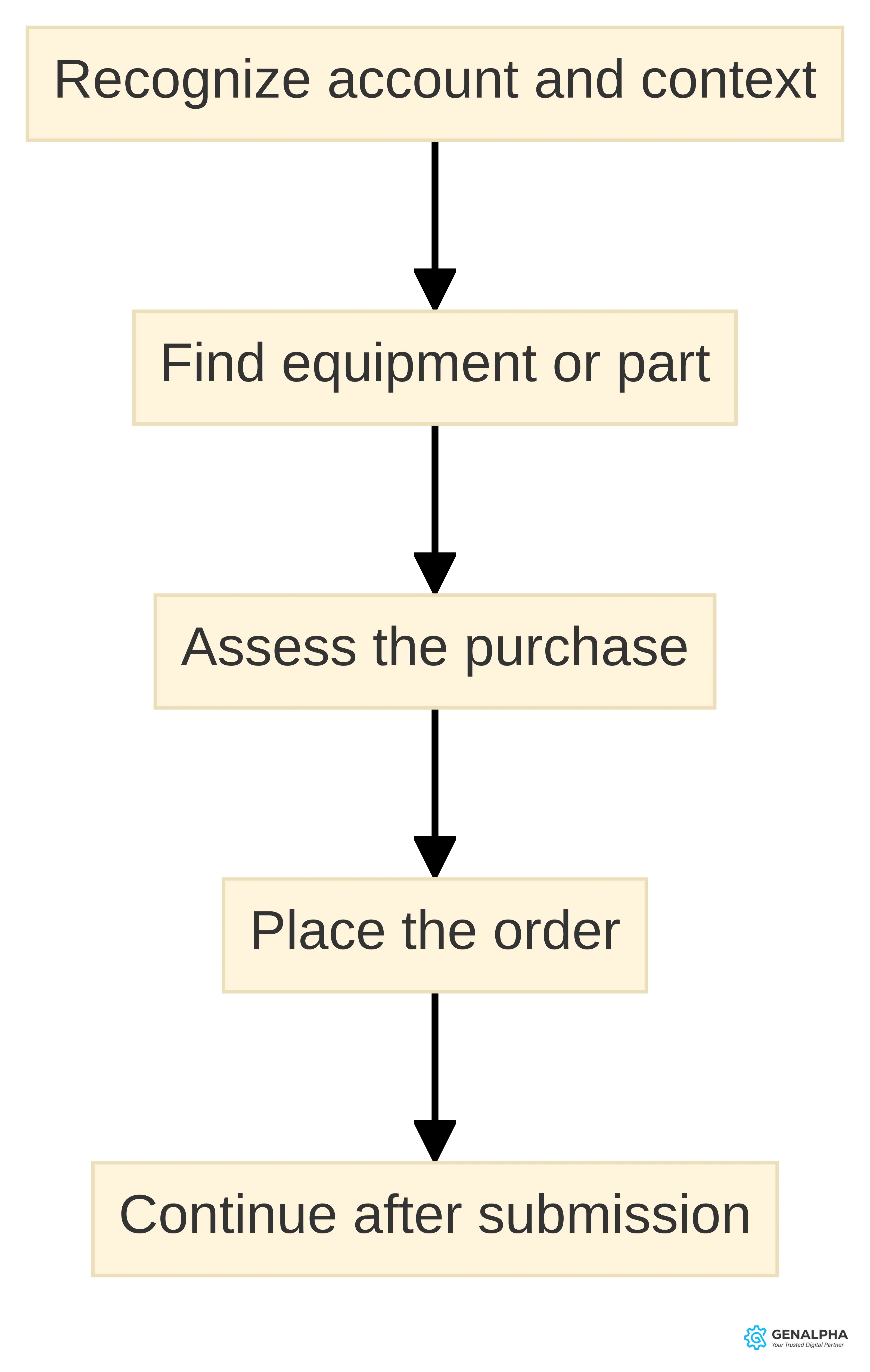
Before comparing platforms, define the acceptance conditions for one aftermarket order scenario. Write what the scenario must demonstrate for your equipment business:
- Account and context: Identify whether the test uses an approved account, dealer relationship, service interaction, or another customer context.
- Part identification: State what information the tester starts with and what confirms the selected item.
- Commercial review: Specify the price, availability, quantity, and purchasing conditions that must be visible before submission.
- Order submission: Describe the order action and any approval or repeat-order condition the test includes.
- Post-submission path: Name the fulfillment, shipment, invoicing, and customer-service handoffs that need to be traceable.
These are test conditions, not a claim that every organization needs the same workflow. Keep each condition tied to a record, owner, or system so the demo can show how the scenario would work in your operation.
Your internal requirement should also describe ownership. Ask who maintains item records, who controls price rules, who resolves an uncertain part match, who handles exceptions, and who answers a customer question after the order is submitted. A platform can expose a workflow without deciding who should own each step.
Record the answer to these questions before comparing products:
- Which customers should use self-service, and which customers still need staff assistance?
- Which part information must be visible before an order can be placed?
- Which customer, price, stock, and order fields must come from an ERP or internal system?
- Which actions must be available to a dealer, service technician, counter employee, or end customer?
- Which order stages need customer-facing status or internal follow-up?
This list turns a broad commerce project into a set of observable tasks. It also gives you a way to test a demo without mistaking a polished screen for an operating fit.
Assemble the parts-data evidence
Parts data and catalog structure are the first evidence checkpoint. A parts catalog links parts lists to diagrams so technicians, dealers, and customers can identify and order the correct part. For your scenario, assemble representative part records and trace each one to the equipment, assembly, diagram, or bill of materials relationship a buyer would use.
For each record, mark the system of record for the description, alternate identifiers, supersession information, units, images or diagrams, equipment relationships, pricing fields, stock fields, and customer-account rules. Then note which fields are incomplete, inconsistent, duplicated, or maintained only in a document or spreadsheet. This record shows whether a failed test belongs to the catalog structure, source data, or platform path.
A parts catalog is only as strong as the CAD and 3D data behind it, and disorganized source files can delay catalog projects. That limitation matters even when your intended experience uses 2D diagrams or text search: the source information still needs an owner, a structure, and an update path.
Use this foundation check:
- Coverage: Which equipment families, models, assemblies, and replacement parts are included?
- Structure: Can each part be connected to the equipment, assembly, diagram, or bill of materials where your customer expects to find it?
- Currency: How are new, changed, superseded, and discontinued items identified and updated?
- Clarity: Are descriptions, identifiers, specifications, and media understandable outside the engineering or ERP context?
- Governance: Who approves a change and how does that change reach the commerce experience?
- Conversion effort: Which ERP and engineering data needs transformation before it can support an online catalog?
The foundation check does not require every record to be perfect before you evaluate a platform. It does require you to separate a platform question from a data-preparation question. If your source files need organization, include that work in the evaluation rather than assuming a storefront will resolve it automatically.
We provide data conversion services to help manufacturers organize parts data for eCommerce sales channels. We use a data-scrubbing and conversion process to format parts data into Equip360.
Run the part-identification test
Part identification is the point where equipment complexity meets customer urgency. Your customer may know the machine, assembly, symptom, or job but not the part number. A useful experience must start from the information that is actually available during a maintenance or repair task.
Electronic parts catalog software links parts lists to diagrams to help technicians, dealers, and customers identify and order the correct part. This keeps the identification task connected to the equipment information behind the buying experience.
That workflow creates a useful test scenario: begin with a real equipment problem and ask whether the customer can move from the machine context to a confident part selection without relying on a delayed re-entry step.
Run identification as a set of observable cases:
- Known identifier: Enter a part number or internal item code and record whether active, alternate, and superseded records are distinguishable.
- Equipment context: Select a model or equipment family, open an assembly, and follow the diagram or parts list to a candidate item.
- Description: Search using the terms your customer or service employee would actually use, then inspect the result labels and filtering options.
- Visual context: If diagrams or visual references matter, check whether the customer can relate the part to the assembly before adding it to an order.
- Uncertain match: Ask what happens when two parts appear plausible or when the available data is incomplete.
For each case, capture the starting information, candidate result, confirmation information, and action available when the match is uncertain. Use the same equipment context in the demo where possible. The result should show whether the scenario can reach a defensible part selection and where staff assistance or better source data is still needed. Use a second test for the selected result: is it merely searchable, or is there enough confirmation to support adding it to the order? Check the identifier, equipment relationship, unit, supersession state, and any account or commercial condition that must be known before submission. If more than one candidate remains, record the unresolved choice and the handoff for resolving it rather than counting the search as successful. This distinction makes the result useful to both the catalog owner and the service or parts team reviewing the scenario.
Capture price and inventory results
Inventory and pricing visibility determine whether your customer can make a purchasing decision without a separate call or email. The relevant question is not simply whether a platform has an inventory field or a price field. The question is whether the experience presents the values that apply to the customer, item, location, quantity, and account context.
Use those conditions to define the visibility your own process needs, without assuming that every account follows the same rule.
Write down the price and inventory questions that must be answered before order submission:
- Which price applies to this account and quantity?
- Does the customer see a list price, a negotiated price, a tier, a discount, or a calculated amount?
- Which warehouse or inventory source supplies the availability information?
- How should the experience handle unavailable, substituted, superseded, or restricted items?
- When does the displayed value change, and which system owns that change?
The trade-off is between a simple presentation and an accurate operating context. A generic price may be easy to display but unusable for a dealer with account-specific terms. A stock message may appear clear but still leave questions about warehouse, quantity, or timing. A detailed rule set may reflect your business more closely but require better source data and integration ownership.
Test at least two account situations and two purchasing situations that reflect your operation. Compare the displayed catalog, price, and availability without treating a single successful lookup as proof of broader fit. Ask what the customer sees, what your staff sees, which system supplied each value, and what happens when the value cannot be returned.
The practical boundary is simple: do not promise a customer a price or availability condition until your organization has defined the source, rule, and update path that support it.
Trace the order and its exceptions
Run two order traces: one ordinary order and one exception. Start with a selected part and record each handoff through acceptance, fulfillment, shipment information, invoicing, and customer follow-up. The exact stages depend on the operation, but the test should make clear where a person or system must act.
For the ordinary trace, record the customer and item information, quantity, price, transaction details, receiving system or team, and the status information available after submission. A B2B portal can support search, reorder, live warehouse stock, and anytime ordering, while weak ERP or CRM integration can create data inconsistencies in inventory updates, customer management, and order tracking.
For the exception trace, choose a condition that reflects the operation, such as a changed price, unavailable item, approval requirement, adjusted quantity, or incomplete customer information. Record what changes, who owns the resolution, which system receives the update, and how the customer or staff member learns what happens next.
Treat the portal and downstream systems as one path for this test, even if different teams own them. The resulting order trace shows where the scenario is demonstrated, where manual work remains, and what to reproduce during the demo.
Add a second distinction to the trace: transaction ownership is not the same as status communication. For example, a commerce experience may accept an order while another system or team owns the next operational decision. Your evaluation should therefore record both the system or team that holds the authoritative record and the place where a customer or employee can see the current status. Do not treat a status label alone as proof that the underlying handoff has been completed.
For each major event, note four things: what action occurred, what record or message was created, who or what owns the next step, and what information is returned to the customer-facing experience. Apply the same questions to submission, acceptance, shipment, invoicing, and the exception you selected. If the answer changes by account, order type, or manual review, capture that condition rather than forcing the scenario into one standard path. This produces a more useful demo request because it identifies the specific transition that needs to be shown, not merely the screen where the order begins.
Your order test should record the handoff at each stage:
- What information enters the commerce experience?
- What information leaves it?
- Which system owns the order after submission?
- How does the customer learn that the order was received, accepted, changed, shipped, or invoiced?
- Which team resolves a failed handoff or an order that needs manual review?
If APIs are unavailable, we can identify another technical solution to retrieve the required data. That option can be examined for your systems, but it does not replace documenting your own order ownership and data requirements.
A platform fits this part of the process when the order can be traced through the handoffs your operation actually needs. A visually smooth submission is not enough if staff must rebuild the order or if the customer cannot understand what happens next.
Map ERP and internal-system handoffs
ERP connectivity affects nearly every part of the aftermarket path: customer access, item information, price logic, inventory visibility, order creation, shipment updates, and invoicing. Do not leave the integration discussion until after you choose a storefront. Define the business information that must move between systems first, then evaluate the technical path that can carry it.
Weak ERP and CRM integration can create data inconsistencies in inventory updates, customer management, and order tracking. That observation comes from B2B auto-parts software guidance, but the evaluation principle is directly relevant to equipment operations: identify where inconsistent data would interrupt your customer or internal workflow before you select a platform.
Create a field-level integration inventory:
- Customer: account identity, approval status, addresses, contacts, and account terms.
- Item: identifiers, descriptions, relationships, units, substitutions, and status.
- Commercial: price source, discounts, account rules, taxes, and payment-related information where applicable.
- Order: lines, quantities, requested information, approvals, and order status.
- Fulfillment: shipment, tracking, backorder, or exception information that your customer needs.
- Financial: invoice or account information required by your business process.
The inventory should name the source system, receiving system, update direction, update timing, and owner for each field. It does not need to prescribe a technical architecture before discovery.
Make the inventory easier to test by arranging it around business events as well as field groups. Before a buyer searches, ask what customer and item context must be available. When the buyer reviews a part, ask which price, inventory, relationship, and account information must be read. When the buyer submits an order, ask which lines, quantities, approvals, and commercial details must be written or transmitted. After submission, ask which order, shipment, exception, and invoice information must return to the experience or to the responsible team.
This event view helps separate three different questions: whether the required data exists, whether the commerce process can exchange it, and whether someone owns the result when the exchange is incomplete. A field can be present in an ERP and still require a decision about when it is retrieved, which value takes precedence, or what happens when it is unavailable. For each event, record the evidence you would need in a review: a representative record, a demonstrated handoff, an exception response, or a decision from the process owner. That gives the integration discussion a sequence that mirrors the customer’s journey while leaving the eventual technical design open.
Turn readiness results into a demo brief
Use a readiness record before comparing platforms. It is not a certification; it captures what the selected scenario can demonstrate and what needs ownership before a platform conversation can be productive.
For the scenario, mark each checkpoint as documented, partly documented, or unresolved:
- Catalog scope: The equipment families, parts groups, and customer segments in the test are identified.
- Part relationships: The test shows how a part connects to an equipment model, assembly, diagram, or bill of materials.
- Data ownership: The systems and teams maintaining item, customer, price, inventory, order, shipment, and invoice information are identified.
- Identification path: The starting lookup information and confirmation of the selected part are described.
- Commercial rules: The account-specific, tiered, volume-based, or other pricing conditions in the scenario are described.
- Order path: Submission, acceptance, fulfillment, shipment, invoicing, and exception handling are mapped.
- Integration needs: The initial field list and systems exchanging information are identified.
- Success conditions: The customer and staff workflow the scenario must support is stated without promising an outcome.
Keep the record with representative part records, diagrams, the field inventory, and the order trace. This prevents a strong visual demonstration from concealing an unresolved data dependency and gives the demo a defined agenda.
Use the result to choose your next preparation step:
- If catalog and part relationships are documented, bring representative records and diagrams to the platform review.
- If source data is partly documented, identify the missing fields, owners, and conversion work before judging the storefront.
- If integration needs are unresolved, create the customer, item, order, shipment, and invoice field inventory before discussing technical fit.
- If the order path is unresolved, map the handoffs with sales, service, parts, fulfillment, and finance stakeholders.
We provide data conversion services to help manufacturers organize parts data for eCommerce sales channels, and our discovery process works with you to identify the equipment and parts data needed to launch an eCommerce site. Those capabilities can support preparation, but your team still needs to identify the records, rules, and decisions that define the intended operation.
Separate general requirements from Equip360’s stated scope
General parts-commerce requirements give you the evaluation frame. They include usable catalog structure, part identification, inventory and pricing visibility, ordering, tracking, and system connectivity. A platform discussion should show how those requirements relate to your own equipment, accounts, data, and order path rather than treating a generic feature list as a decision.
The general guidance for electronic parts catalogs emphasizes catalog authoring and updates, search and visualization, and connections to ERP and eCommerce systems. B2B parts-portal guidance also describes account-specific pricing, ERP-based catalogs, reorder tools, live warehouse stock, and anytime ordering. These are criteria to test against your operating model. They do not establish that every platform, customer, warehouse, or transaction will support each function in the same way.
Keep three columns in your evaluation notes:
| Evaluation area | General question | Evidence to request in a review |
|---|---|---|
| Parts data | Can the catalog represent and update your equipment and part relationships? | A representative record, assembly, diagram, or bill of materials |
| Identification | Can your customer start with the information available during a service need? | A realistic lookup using your equipment context |
| Pricing and inventory | Can the experience apply the account and transaction conditions that matter? | A representative account, quantity, stock source, and price rule |
| Ordering and tracking | Can the order move through your actual handoffs? | A submitted order followed through acceptance and status |
| Integration | Can required fields move between the commerce layer and your systems? | A field map and exception path |
Our Equip360 scope includes digital 2D and 3D bills-of-materials catalogs, RMA, Warranty, and Product Configurator tools. Equip360 offers on-site search, merchandising, promotion, ordering, order quoting, additional payment processing, and eCommerce-enabled bills-of-materials catalogs. Equip360 also connects product data, parts structure, and commerce capabilities into one experience.
Treat those statements as the GenAlpha and Equip360 scope to examine for your needs. Ask how each capability would apply to your equipment data, customer roles, price rules, order stages, and integration fields. Keep a separate note for requirements that need clarification, configuration, data preparation, or an operational decision. That separation prevents a general requirement from being presented as a promise about your eventual implementation.
Review the data and integration path with GenAlpha
During discovery, we work with you to identify the equipment and parts data needed to launch an eCommerce site.
Bring enough detail to make that conversation concrete:
- The equipment families and parts categories in scope.
- One ordinary replacement-part scenario and one difficult identification scenario.
- Representative item, customer, price, inventory, order, shipment, and invoice fields.
- The system that owns each field and the team that can approve changes.
- Current manual steps, duplicate entry, delayed updates, and exception handling.
- Customer, dealer, service, and internal roles that need different access or workflows.
- The first order path you want to examine, including what happens after submission.
This preparation lets you discuss the operating path instead of describing the project only as “selling parts online.” It also gives you a basis for distinguishing a data-conversion task from an integration task and a configuration decision from a process decision.
We use our data-conversion toolset to transform ERP and engineering 2D data into a customer-friendly format.
Review these capabilities against your field inventory rather than evaluating them as isolated statements. Ask which data is retrieved, which data is transformed, which data is maintained in Equip360, which events return to your systems, and how exceptions are handled. Bring the constraints that make your operation different from a simple catalog rollout to the integration discussion.
Prepare a focused Equip360 demo brief
A focused demo brief keeps the discussion tied to your work. Our Equip360 demo includes a live look at tools that help businesses sell online; use that review to examine a real aftermarket scenario.
At the demo, keep an evidence log beside the brief. For each requested step, capture the scenario input, the result that was shown, the data or rule used, and the condition that would need to be confirmed in your operation. Label the result as demonstrated with the scenario, described but not demonstrated, dependent on prepared data, or unresolved. These labels keep a live walkthrough, a verbal explanation, and a future configuration question from being treated as the same kind of evidence.
Also record the role used during the demonstration. A lookup performed by an internal administrator may not answer the question of what a dealer, service technician, counter employee, or end customer can do. Where roles differ, ask which information and actions change, who approves the change, and which part of the order trace remains common. If a step depends on a customer record, price rule, inventory response, or ERP field that was not available in the demo, write down the exact input needed for a follow-up review. The result is a decision record that preserves both what the platform showed and what your team still needs to validate.
Use the brief to request demonstrations of the connected path:
- Open the equipment or catalog context.
- Identify the part through the lookup method your customer would use.
- Confirm the information that supports the selection.
- Display the account and transaction conditions that affect the purchase.
- Submit the order using the intended customer or dealer role.
- Follow the order information into the next operational handoff.
- Review what data must be prepared, transformed, or integrated before the scenario can operate.
Our scope includes digital 2D and 3D bills-of-materials catalogs, RMA, Warranty, Product Configurator tools, on-site search, ordering, order quoting, additional payment processing, and eCommerce-enabled bills-of-materials catalogs. Include only the capabilities that relate to your scenario, and ask how each one connects to your data and order path.
Use the demo to test a real aftermarket scenario
A real aftermarket scenario reveals more than a feature tour because it forces the catalog, identification, commercial, order, and integration questions into one sequence. Choose a part request that reflects the complexity of your equipment operation, not a simple item that any catalog could display.
Use that type of situation to test whether your intended process can reduce the number of disconnected handoffs without hiding decisions that still require human review.
Your scenario should include:
- A specific equipment family or model context.
- A part that requires an assembly, diagram, relationship, or meaningful search.
- The account and price conditions that apply to the purchase.
- An inventory or availability question that your customer would ask.
- The order fields and downstream system information your team needs.
- An exception, such as an uncertain match, unavailable item, approval, or changed quantity.
Score the scenario with observable questions:
| Checkpoint | What to observe |
|---|---|
| Identification | Can you understand why the selected part belongs to the equipment or assembly? |
| Data quality | Are the description, relationship, diagram, and identifiers usable for the task? |
| Commercial context | Does the experience show the price and account conditions that matter? |
| Availability | Can you understand which inventory information is being presented and where it comes from? |
| Submission | Can the intended role place the order with the required information? |
| Continuity | Can you follow the order into the handoffs your operation needs? |
| Exception handling | Can you see who or what handles an uncertain, unavailable, or changed order? |
Catalog guidance recommends evaluating authoring and updates, search and visualization, and ERP and eCommerce connections. A B2B portal may include account pricing, reorder tools, live warehouse stock, and anytime ordering. GenAlpha can integrate with ERP or internal systems to retrieve customer, item, sales-order, shipment, and invoicing details. Use these points to structure your observations, then record the conditions and dependencies attached to your scenario.
Keep the evaluation’s limits visible
A platform review can clarify fit, but it cannot decide every implementation or operating question for you. Keep the boundaries visible while you compare the path, the data, and the stated capabilities.
Do not assume that a catalog demonstration proves your source data is ready. Parts catalog quality depends on the CAD and 3D data behind it, and disorganized source files can delay catalog projects. Do not assume that a displayed price represents every account rule. B2B parts pricing may include tiered, volume-based, and account-specific rates, and manual handling can lead to errors. Do not assume that a successful order submission proves the downstream process is complete. Weak system integration can create inconsistencies in inventory updates, customer management, and order tracking.
Keep these distinctions in your notes:
- Supported capability: A stated function that you can examine in relation to your scenario.
- Data dependency: Information that must be organized, transformed, updated, or governed for the function to work as intended.
- Integration dependency: A system, field, event, or exception that must move between platforms.
- Process decision: An internal choice about ownership, approval, customer access, or service handling.
- Open question: A point that needs clarification before you can assess fit.
We offer Equip360 capabilities including digital 2D and 3D bills-of-materials catalogs, RMA, Warranty, Product Configurator tools, ordering, order quoting, additional payment processing, and eCommerce-enabled bills-of-materials catalogs. Review those capabilities against your own data and workflow conditions rather than converting them into a promise about a particular result.
Make the conditional next decision
The next decision is conditional: explore Equip360 when your evaluation points toward a connected parts path and you are ready to discuss your equipment data, customer roles, price and inventory rules, order handoffs, and ERP or internal systems. Use your readiness test and demo brief to keep that conversation specific.
If your catalog structure or source data needs work, bring the records and relationships that need organization. If your integration path is unclear, bring the field inventory and ownership questions. If your operating path is defined, bring a real aftermarket scenario and ask to follow it from identification through order continuity. Our discovery process begins with your current systems and goals, and our demo provides a live look at tools that help businesses sell online.
A qualified professional or appropriate internal owner must decide individual implementation suitability, integration design, legal requirements, financial implications, and other business-specific conditions. Request a demo when you are ready to examine the fit of your equipment and aftermarket workflows in that setting.
What should you bring to an Equip360 evaluation?
What should equipment manufacturers consider when evaluating online aftermarket-parts commerce?
Manufacturers should assess how the platform supports parts identification, inventory visibility, pricing, order submission, and integration with ERP systems. It's essential to ensure that the platform aligns with the actual purchasing process of customers and internal teams.
How can manufacturers ensure their parts data is ready for an online platform?
Manufacturers should conduct a data inventory to check for completeness, consistency, and organization of part records, descriptions, pricing, and inventory information. This preparation is crucial for effective catalog management and customer experience.
What steps should manufacturers take to prepare for a demo of an eCommerce platform like Equip360?
Manufacturers should prepare a brief that outlines their business context, specific scenarios they want to test, necessary data and commercial rules, involved systems, and any unresolved questions. This focused approach helps ensure the demo addresses their specific needs.
Sources
- ERP Integration for Auto Parts Distributors: 2026 Guide — wizcommerce.com
- How to Choose the Right B2B eCommerce Software for Your Auto Parts Business — www.esferasoft.com
- GenAlpha Technologies Announces Integration of Equip360 with VizSeek — www.genalpha.com, 2025-05-12
- eCommerce for Manufacturers and Distributors | GenAlpha — www.genalpha.com
- Electronic Parts Catalog Software: Guide + Best Tools 2026 | VNTANA — www.vntana.com, 2026-07-01
- Machinery Manufacturers | GenAlpha
- Data Conversion
- FAQs | GenAlpha Technologies
- Request a Demo of Equip360 | GenAlpha Technologies
- Integrations