

Start with one parts request, not the whole channel
Rather than judging an entire parts channel in one pass, evaluate one concrete customer request. Choose a request in which a dealer or end customer needs to identify and purchase an equipment or aftermarket part, then record the information available at the start and the answer the customer needs.
Use three gates for that single scenario. The identification gate asks whether the available input leads to a distinguishable part. The transaction gate asks whether the selected part can move into a clear purchasing action. The continuity gate asks whether the customer can understand what happened after submission and where support begins.
At each gate, record what the customer sees, what the system returns, what remains uncertain, and where a person must take over. This creates a bounded decision: the first unresolved gate becomes the next question for a platform evaluation instead of turning the whole aftermarket operation into one unscoped readiness judgment.
A parts-commerce readiness review should answer five questions:
- Can you identify a part from the information your customers actually have, such as a serial number, bill of materials, drawing, or image?
- Can the product information lead to a clear purchasing action rather than a separate manual inquiry?
- Can your customer see an order confirmation and the relevant status after checkout?
- Can dealers and end customers use experiences that reflect their different relationships with you?
- Can your support process receive the context needed to handle warranty, returns, maintenance, or a complex parts question?
If the answer is yes for some tasks and no for others, you do not need to label the whole initiative ready or unready. Mark the first broken handoff. That point gives you a more useful starting place for a platform conversation.
Define the boundary for a parts-commerce readiness test
In B2B manufacturing and wholesale, the aftermarket covers products, services, spare parts, maintenance, upgrades, and digital services sold throughout a product’s lifecycle. That breadth is the reason to set a clear boundary for the first test rather than treating every aftermarket activity as one transaction.
Use one parts request as the unit of evaluation and define its boundary in advance:
- Equipment context: What machine, assembly, or prior transaction starts the request?
- Part decision: What information distinguishes the expected item from related parts?
- Account action: Who is buying, and what action should that account be able to complete?
- After-checkout view: Which confirmation, status, shipment, back-order, or invoice details matter for this request?
- Support boundary: Which conditions should end in self-service, and which should create a handoff?
Self-service tools can support purchasing and post-purchase order or shipping checks through catalogs, portals, and ticketing systems. A self-service parts-ordering system can also insert an order into an ERP, send confirmation, and track shipment or back-order status. Use those capabilities as checkpoints for the selected scenario, not as a reason to declare the entire aftermarket journey ready.
Your operating model determines how much of this journey should be self-service. You may want customers to complete routine purchases independently while keeping complex identification, warranty decisions, or unusual equipment questions with your team. That boundary is a design choice, not a failure of the digital channel.
Write the boundary down before comparing platforms. Specify which tasks should end online, which tasks should create a support handoff, and which data must move between the two. Then ask whether the proposed experience supports that division without assuming that every customer, part, or order follows the same path.
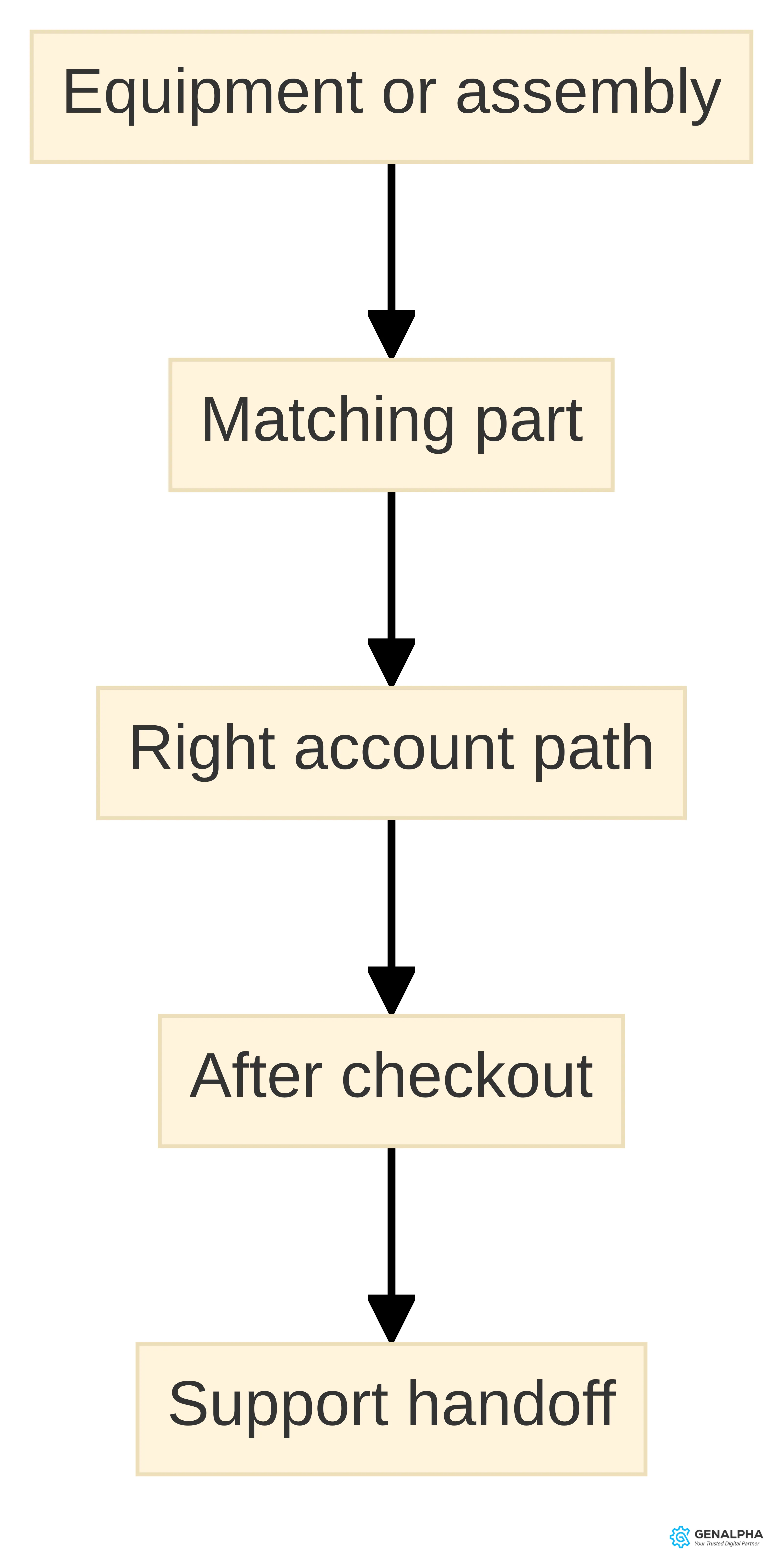
The three-gate parts-commerce readiness test
The selected scenario can be considered through three practical gates:
- Identification gate: Confirm that the customer’s starting input can lead to a part record with enough distinguishing information for the next decision.
- Transaction gate: Trace that same part record into the relevant account context, purchasing action, and available product information.
- Continuity gate: Follow the submitted request into confirmation, order visibility, shipment or back-order information, invoice details, and the support boundary that applies to the scenario.
The test brief records four results at every gate: what the customer sees, what data or system response supplies it, where a human handoff occurs, and what question remains open. This makes the result specific to a product family and customer task instead of producing a broad platform score.
An Equip360 demo includes a live look at tools that help businesses sell online. A focused conversation can then address the selected scenario, its data conditions, and its handoffs rather than relying on a generic product tour.
Gate 1: Can the request resolve to a distinguishable part?
The identification gate concerns one concrete starting situation, not every way a customer might search. Parts-identification systems may support serial-number search, 2D or 3D exploded views, bills of materials, and AI-powered image search. Select the input that a dealer or end customer is most likely to have for the scenario under review.
A scenario passes this gate when the path from that input to a candidate part is visible. The brief should show the equipment or assembly involved, the expected result, the information that distinguishes similar parts, and the point at which a person must clarify the request.
Do not treat a returned result as the end of the test. Check whether the result carries enough context for the next purchasing decision and whether an unresolved selection has a defined handoff. If the path varies by product family, record that variation as the boundary of the test rather than generalizing from one successful lookup.
Your identification review should also include the structure behind the visible search. Digital 2D and 3D bills-of-materials catalogs are among the tools we include in Equip360, along with product support and maintenance capabilities. We offer Equip360 for manufacturers, and the platform is described as a configurable SaaS eCommerce, eCatalog, and analytics platform that supports online product discovery and ordering.
Treat confidence as a chain rather than a single search feature. Ask whether the result connects to the correct product record, whether the record carries the information needed for a purchasing decision, and whether the same context can follow the order or support request. If the answer changes by product family, document that variation for the evaluation instead of treating the catalog as uniformly ready.
A practical identification brief can fit on one page. Include the equipment family, the customer’s likely starting input, the available source data, the expected result, the information that distinguishes similar parts, and the point where human assistance begins. Use the brief during a platform review and ask for the same scenario to be shown from search through the next customer action.
Do not call a part-lookup process ready merely because it returns a result. Call the checkpoint complete when you can explain what the customer sees, what the customer can do next, and what your team receives if the selection remains uncertain.
Gate 2: Can the selected part move into a purchase?
The transaction gate starts with the part selected at the identification gate. Product information supports the next action when the customer can connect the item to the equipment or prior request, distinguish it from related items, and understand the available purchasing path.
For the same scenario, record five points:
- Recognition: What connects the item record to the equipment, assembly, or prior order?
- Differentiation: Which details help the customer separate similar parts?
- Commercial context: Which price, inventory, account, and purchasing conditions apply to this customer?
- Action: Can the customer add the item, submit the order, or enter a supported handoff without restarting the search?
- Continuity: What context must remain available for confirmation, tracking, or support?
A transaction-gate result is specific to the selected part and account path. If the product record cannot support the next action, record the missing field or manual step. That open item is more useful for an Equip360 discussion than a general conclusion that the catalog is or is not ready.
Data preparation is part of the purchase path. We provide data conversion services to help manufacturers organize parts data for eCommerce sales channels, and our data-conversion tools transform ERP and engineering 2D data into a customer-friendly format. That scope gives you specific questions for a readiness review. Which product and parts records are authoritative? Which fields can change? Which customer or dealer details affect the transaction? Which order, shipment, and invoice details need to return to the experience? Ask how each answer would affect the customer’s next action.
Keep the question practical. A product record is ready for a given use case when your team can identify its source, explain its customer-facing meaning, and maintain the information through the purchase path. If those conditions are not met, prioritize the affected product family or transaction type before expanding the online experience.
A self-service parts portal can support customer retention and sales while improving the experience across the product lifecycle, but that does not mean every task should end in an online order. Build a clear alternative for a complex or unresolved selection. The customer should know whether to submit a question, contact a dealer, or continue with a different supported path.
During evaluation, ask to see both outcomes: a straightforward part that reaches checkout and an ambiguous part that reaches an appropriate human handoff. A platform that shows only the simple path leaves the most consequential readiness question unanswered.
Gate 3: Can the customer verify what happened after checkout?
The continuity gate begins when the selected scenario reaches submission. Use one ordinary order path and record the customer-facing result at each point:
- Confirmation: What shows that the request was received, and what reference can the customer use later?
- Order status: Where can the customer see processing, back-order, or other relevant status information?
- Shipment: How does shipment information become visible, and what does the customer see when it is unavailable?
- Account history: Which dealer, end-customer, or internal users need access to prior activity?
- Invoice details: Which information must be available for the customer to understand the transaction?
- Support handoff: What equipment, item, order, or account context accompanies a question?
The result of this gate is not a broad promise about post-checkout visibility. It is a list of conditions the selected scenario can show, conditions it cannot yet show, and the owner of each open question. Take that list into a demo and ask for the same scenario to be traced after submission.
Live and batch data create different operating conditions. Live data can provide inventory counts at checkout, while batch updates can support environments without continuous network access. The choice depends on your deployment architecture and the level of freshness the transaction requires.
Ask which information needs a live connection, which information can be updated in batches, and what the customer sees when the latest data is unavailable. Do not describe an inventory number as exact unless the underlying data path supports that interpretation at the point of checkout. Make the data condition visible in your requirements.
Use one ordinary order and one exception to test continuity. The ordinary order should cover confirmation, status, shipment, and invoice information. The exception should cover a back-order, an incomplete update, or a support question after submission.
Record the customer action, system response, internal owner, and next available action at each stage. This small exercise exposes whether post-checkout visibility is a connected workflow or a set of screens that require manual explanation.
How should the same test vary by account role?
Run a second version of the same scenario only when dealer and end-customer responsibilities both matter. Keeping the part request constant makes the difference between the two account paths easier to see.
GenAlpha’s dealer portal can use purchasing behavior and activity data to tailor digital experiences, including promotions, special pricing, or suggested checkout items. For the dealer version of the test, record the account conditions, visible information, allowed purchase action, and point at which the dealer takes over a request.
For the end-customer version, record the information needed to find the part, the available purchasing or assistance path, the post-checkout view, and the support boundary. Compare the two briefs rather than assuming that separate screens are required. The useful result is a clear account rule or handoff that a platform evaluation can examine.
A dealer portal can use purchasing behavior and activity data to tailor the digital experience, including special pricing or suggested items at checkout. That possibility creates a governance question for you: which differences are deliberate account rules, and which differences should remain consistent for every customer?
Write a short role-and-account charter before a platform review. Include the audience, allowed actions, visible information, price conditions, approval points, and support handoff for each path. Keep the charter tied to actual transactions. A broad statement such as “dealers need more access” will not tell you what the platform must display or permit.
Your self-service model is a fit when it gives each group a clear route through the tasks it owns while preserving a practical route to assistance. You do not need to force dealer and end-customer journeys into identical screens. You do need to explain where the journeys share data, where they diverge, and who owns an exception.
Bring at least one dealer-led scenario and one end-customer scenario to the evaluation. Compare the information required, the purchase action, the post-checkout view, and the support boundary. Choose the next design step from those differences rather than from a generic portal feature list.
What support boundary does the test reveal?
The final boundary of the test is support. Some requests can end with identification, purchase, and status visibility; others need clarification or a process involving the equipment, item, account, or order. Equip360 includes RMA, warranty, and product configurator tools for equipment support and maintenance.
Classify the selected scenario in one of three ways:
- Routine completion: The customer can identify, purchase, and follow the request without assistance.
- Clarification: The customer needs help interpreting product information, selecting among related parts, or understanding an order.
- Resolution: The request needs a warranty, RMA, configuration, or maintenance-related process.
For the last two paths, record the context that reaches the responsible team and the next customer-facing action. A bounded readiness test is complete when it shows both the path that can proceed digitally and the boundary that still needs people. That distinction gives a demo a concrete question to answer without assuming that every parts issue should be handled through self-service.
Our engineering data-conversion tools support data transfer from an ERP to Equip360. Those capabilities give you a concrete basis for asking how a support workflow would receive the information it needs.
Ask the following during a review:
- Which equipment, item, customer, and order details are available to the support user?
- Can a support request preserve the customer’s search or purchase context?
- How are warranty and RMA tasks connected to the relevant product or order?
- Where would service history or machine records be displayed if your use case requires them?
- What happens when the needed information is not present or is out of date?
The last two questions are evaluation boundaries, not assumptions about a product capability. Ask for a specific answer using one of your own support scenarios.
Do not treat self-service as a promise that every issue should be handled without people. Treat it as a way to give customers a clear route for routine work and a better starting point for complex work. A useful platform review shows both the self-service completion and the human handoff, including the information that crosses between them.
What information and system foundation must be ready?
Information and system readiness determine whether an online parts experience can reflect the business rules your customers encounter offline. Our integration support specialists and engineering data-conversion tools support data transfer from an ERP to Equip360.
Equip360 is described as a configurable SaaS eCommerce, eCatalog, and analytics platform for manufacturers that supports online product discovery and ordering.
Assess the foundation in layers:
- Engineering and product data: Identify the drawings, bills of materials, assemblies, attributes, and product relationships that support identification.
- Item and parts data: Record item numbers, descriptions, distinctions between related parts, and the fields needed for a purchasing decision.
- Customer and dealer data: Identify accounts, relationships, applicable purchasing rules, and the information each experience may use.
- Commercial data: Define price, inventory, ordering, and account conditions, including the source and update pattern for each field.
- Transaction data: Map sales orders, confirmations, shipments, back-orders, and invoicing details to the customer-facing journey.
- Support data: Identify the product, equipment, warranty, RMA, and configuration context required for an exception or handoff.
This inventory turns “integration” into a set of testable questions. It also shows where a first use case may need narrower product, customer, or transaction scope.
Your data plan should state whether each requirement needs live or batch movement. Neither method answers every requirement by itself; the appropriate choice depends on the information, the transaction, and the deployment architecture.
For each data set, record:
- The authoritative system.
- The field or record needed by the customer or internal user.
- The update method.
- The consequence of a delayed or missing update.
- The owner responsible for resolving an exception.
If a stale field could change whether a customer places an order, include that condition in the demonstration scenario. If a missing field would create a support call, include the handoff as well.
A foundation review is ready for the next step when you can describe the source, meaning, owner, and update condition for the records that support your first use case. You do not need every product family or every historical record mapped before beginning an evaluation. You do need a bounded scenario with enough real information to expose the integration and data questions.
Choose one product family, customer path, and post-checkout requirement for the first review. Expand the scope only after you can explain what the customer should see, what the business system supplies, and what happens when the expected data is unavailable.
Key Highlights
The readiness decision comes down to a connected set of checks:
- Identification precedes conversion. Test serial-number search, 2D or 3D views, bills of materials, image search, and the other inputs your customers actually use before judging the checkout.
- Product information must carry the decision. Check whether a part record helps the customer distinguish items and move to a supported purchasing action.
- Post-checkout visibility is part of the purchase. Review confirmation, shipment or back-order status, order tracking, and the route to invoicing details.
- Live and batch data create different conditions. Specify which information needs freshness at checkout and which information can follow a batch update.
- Dealer and end-customer paths can share a foundation without being identical. Define the account, role, purchasing, and support differences before choosing the experience.
- Support should receive context. Include warranty, RMA, product configuration, and unresolved identification scenarios in the evaluation.
- Data conversion is a readiness activity. Organize ERP and engineering information into a form that can support customer-facing parts commerce.
- A focused scenario is more useful than a general tour. Bring one product family, one customer path, one purchase action, and one post-checkout requirement.
We offer Equip360, which includes digital 2D and 3D bills-of-materials catalogs, RMA tools, warranty tools, and product configurator tools.
What should an Equip360 demo prove?
An Equip360 demo should prove how the platform handles your specific parts journey, not merely display a collection of screens. Our Equip360 demo includes a live look at tools that help businesses sell online.
Bring a scenario that starts with a real customer problem and ends with a defined support or post-checkout outcome. Ask the demonstration to cover:
- Part identification: Show the starting input your customer would use and the path to a candidate part.
- Product information: Show the fields, views, or relationships that help distinguish the item.
- Purchasing: Show how the identified part moves into the relevant account and ordering path.
- Order visibility: Show confirmation, order tracking, and the treatment of shipment or back-order information.
- Customer and dealer context: Show how the two scenarios differ when their account or purchasing needs differ.
- Support: Show the route for an unresolved identification question, warranty request, RMA, or configuration issue.
- Data movement: Explain where customer, item, order, shipment, and invoicing details originate and how they reach the experience.
A useful demonstration answers “what happens next?” at each stage. It should also make the conditions visible: the product family, account type, data source, update method, and human handoff.
Use your readiness brief to assess the demonstration in four categories:
- Customer fit: Can the dealer or end customer complete the intended task with the information and route you defined?
- Operational fit: Do order, shipment, invoice, warranty, RMA, and support processes connect to the owners who handle them?
- Data fit: Can you identify the source, update condition, and customer-facing meaning of each required record?
- Evaluation boundary: Does the scenario show what happens when the system lacks the needed information or when a person must decide?
We can help build an ROI model and establish metrics to support an internal business case for Equip360. Bring the measures your organization already uses or wants to establish, but keep the first review tied to observable tasks: identification, purchase completion, status visibility, support handoff, or repeat activity. Do not treat a proposed metric as a result until your organization defines how it will be measured.
Prepare a short demonstration packet:
- One equipment or parts family.
- One dealer scenario and one end-customer scenario.
- The starting information for each search.
- The product and account conditions that affect the transaction.
- The expected order, shipment, invoice, and support outcomes.
- The systems that currently hold the required data.
- The unresolved questions you want answered.
Ask for the scenario to be shown end to end, including the exception path. Afterward, separate what was demonstrated from what still requires data preparation, integration design, or an internal operating decision. That distinction gives you a usable basis for deciding whether to proceed.
Decide whether your parts-commerce readiness justifies a demo
Your parts-commerce readiness supports a focused next step when you can name the first customer task, the information that supports it, the purchase or support outcome, and the system conditions behind that outcome. The first task might be identifying a part from a serial number or assembly view. It might then continue through ordering, confirmation, shipment or back-order status, and the handoff for a question that cannot be resolved online.
If those details are still unclear, use the readiness sequence to narrow the gap: define the identification scenario, map the product and account information, trace the post-checkout path, and identify the support boundary. If the scenario is clear enough to test, bring it to an Equip360 evaluation and ask for the live journey, the data path, and the exception route.
A qualified professional in your organization should decide individual suitability, operating ownership, and the conditions for moving forward. Use the completed scenario and the answers from the evaluation to make that decision with the people responsible for parts data, commerce, customer service, and the connected business systems.
The practical next step is to turn your readiness notes into a short evaluation brief with one product family, two customer paths, and the post-checkout details you need to see. That brief will keep the conversation tied to your customers’ work and your organization’s operating conditions.
What should you verify before requesting a demo?
What is the role of self-service technology in parts commerce for equipment manufacturers?
Self-service technology allows customers to use catalogs, portals, and ticketing systems to identify and purchase parts, as well as check order and shipping details. This approach enhances customer experience by enabling them to manage simple tasks independently.
How can equipment manufacturers assess their readiness for online parts commerce?
Manufacturers can evaluate their readiness by examining whether customers can identify parts from real-world inputs, whether product information leads to clear purchasing actions, and how well post-checkout processes are managed.
What should an Equip360 demo demonstrate for equipment manufacturers?
An Equip360 demo should showcase how the platform handles specific parts journeys, including part identification, product information, purchasing processes, order visibility, and support pathways for unresolved issues.
What are the key components of the aftermarket in equipment manufacturing?
The aftermarket includes products, services, spare parts, maintenance, upgrades, and digital services sold throughout a product's lifecycle, emphasizing ongoing customer relationships and support.
What factors should manufacturers consider when designing self-service experiences for dealers and end customers?
Manufacturers should consider the different responsibilities and purchasing contexts of dealers and end customers, ensuring that each group has tailored experiences while sharing a common information foundation.
What information is necessary for effective post-checkout visibility in parts commerce?
Effective post-checkout visibility requires clear communication of order confirmations, shipment statuses, invoicing details, and access to customer account history to ensure a complete transaction experience.
Sources
- Parts Identification for Material Handling OEMs - CDS Visual — cdsvisual.com
- In a Supply Chain Crisis, Selling Parts Online May Be Your Next Move — www.salesforce.com
- Self Service Parts Ordering System Guide - Systems Online — sysonline.com
- Equip360 Dealer Portal | GenAlpha Technologies — www.genalpha.com
- FAQs | GenAlpha Technologies — www.genalpha.com
- GenAlpha Technologies Announces Integration of Equip360 with VizSeek — www.genalpha.com, 2025-05-12
- Aftermarket in B2B e-commerce - Intershop Communications AG — www.intershop.com
- Self-Service Spare Parts Portals in Manufacturing — dynamicweb.com
- Data Conversion
- Request a Demo of Equip360 | GenAlpha Technologies