
Start with the continuity question
A B2B sales platform gives your organization an online way to manage business purchasing rather than treating your website as a simple product display. In this setting, the platform may support custom catalogs, customer-specific pricing, and quote-to-order workflows for distributors and dealers buying parts or equipment. The practical question is whether those functions connect into a usable dealer journey.
For equipment parts commerce, examine the handoffs where a dealer’s context has to carry forward: from finding a part to seeing account-specific terms, from selecting an item to placing an order, and from an order to status or support. If one of those handoffs depends on manual re-entry, a separate system, or staff assistance, make that boundary part of the platform decision.
Use a demo evidence brief to examine those handoffs one at a time. For each transition, capture the dealer input, the platform output to verify, and the system or staff step that follows:
- Part to account: Can the dealer use structured parts information or diagrams to identify an item, then see the pricing, terms, availability, or account context that applies?
- Account to order: Can the selected part move into the appropriate purchase path, including repeat, bulk, or purchase-order-friendly ordering, without manual re-entry?
- Order to support: Can the dealer see order status, shipment information, or invoices, and know how a parts question, warranty, return, or other exception is handed off?
This brief keeps the evaluation centered on continuity between systems and roles. In a demo, ask the vendor to show each handoff with a representative dealer account and parts scenario, then record what the platform displays and what remains outside it.
Your first decision is whether you need an online purchasing layer, a dealer-specific operating experience, or a broader connection between parts commerce and support. A platform can cover online purchasing while leaving part identification, account logic, or exception handling in separate processes. That separation may be appropriate, but you should identify it before a demonstration.
Write down one representative dealer journey and follow it from the initial request through post-order support. Then ask each vendor to show the same journey. This gives your team a common basis for judging fit without ranking platforms by general reputation or feature volume.
Define what the platform must connect
A B2B commerce platform connects online business purchasing with the commercial rules that make a dealer order valid. Those rules may include a custom catalog, customer-specific pricing, and a quote-to-order process. In equipment and parts commerce, the platform also needs a clear relationship with product records, account information, inventory information, and order processing.
That distinction matters because a dealer may know the equipment model but not the exact replacement part, while another dealer may need a different price or purchasing condition for the same item. Your evaluation should show how the platform handles both situations without forcing staff to rebuild the transaction manually.
Your connection map should name the information that must travel through the experience:
- The dealer account and the user role attached to it
- Product, equipment, and parts records
- Catalog presentation and search paths
- Prices, terms, and quote or order rules
- Inventory and order information
- Shipment and invoice information
- Support, warranty, return, or escalation handoffs
This list is an evaluation tool, not a promise that every platform manages every item natively. Use it to separate the information your dealer needs to see from the system that remains responsible for maintaining it.
Evaluate whether a platform can integrate with your ERP so order and inventory information remains accurate. Ask which system owns each record, when updates move between systems, and what the dealer sees when information is delayed or incomplete.
A useful answer identifies the handoff instead of promising that every data point is maintained in one place. If your team cannot explain where a price, availability status, or order state comes from, the platform evaluation is not ready for a feature comparison.
Test the discovery-to-order handoff
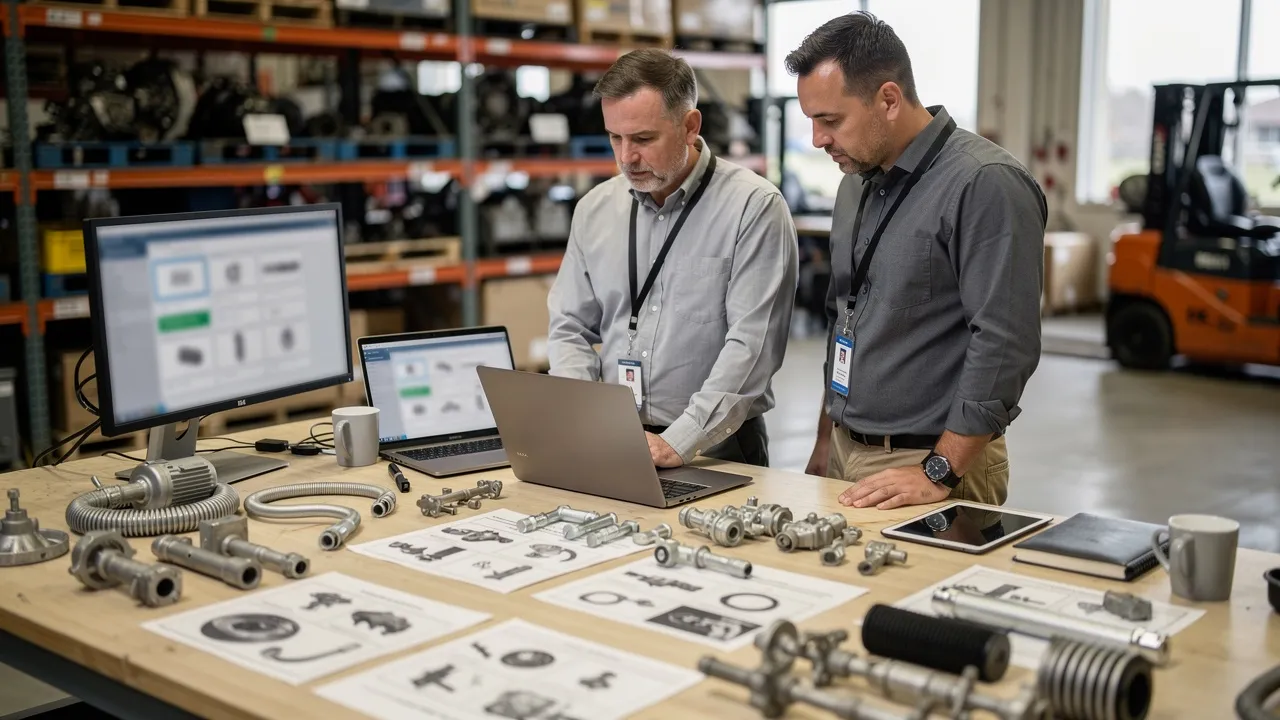
Parts identification is the first proof point for an equipment commerce platform. An integrated catalog and ecommerce workflow can take dealers from part identification to order placement without manual re-entry, while an electronic parts catalog can link parts lists to diagrams to help technicians, dealers, and customers identify and order a part.
Test the complete path with a real parts example:
- Start with the information a dealer actually has, such as a model, assembly, part number, or diagram reference.
- Search or browse until the platform presents a candidate part.
- Examine the information that supports the selection, including the diagram, part description, compatibility, and applicable account context.
- Move the selected part into the order without typing the same information into another system.
- Confirm what the dealer can see before submitting the order.
The point is not to make the search look polished. The point is to see whether discovery and ordering remain connected.
Product information, pricing, and compatibility data should be centralized and accessible to the service and sales teams that answer dealer questions. That arrangement can help those teams respond with the same information that appears in the buying experience.
Ask your vendor to show what happens when a dealer cannot identify a part with certainty. Does the experience offer another search path, expose a related record, or hand the question to a person with the relevant context? The answer should identify the next action rather than assume that every search will succeed.
Catalog quality depends on more than the front-end search box. Evaluate how the catalog is authored and updated, how buyers search and visualize parts, and how the catalog connects to your ERP and ecommerce systems.
Bring difficult records into the demonstration. Include a product with multiple assemblies, a replacement relationship, a model-specific difference, or an incomplete description if those conditions occur in your data. Ask who updates the record, how the change reaches the buying experience, and how the platform shows that the displayed information has changed. Those answers reveal whether the discovery-to-order handoff reflects your parts structure or only a prepared example.
Your boundary is clear: do not treat a catalog demonstration as proof of the whole commerce workflow. A platform may display diagrams effectively while leaving pricing, compatibility, inventory, or order submission in another process. Require the vendor to move from the visual or search result into the transaction and identify every system handoff.
Test whether the buying experience respects the account
Account context determines whether a dealer sees a buying experience that matches its relationship with your organization. Ask whether the portal can present the account-specific prices, terms, invoices, credit limits, and order statuses your dealers need.
Then test the account behaviors that affect daily purchasing:
- Dealer login and role-based access
- Account-specific product or price visibility
- Repeat ordering for familiar parts
- Bulk purchasing and quick-order paths
- Purchase-order-friendly checkout
- Fitment-aware shopping where your parts workflow requires it
These are evaluation questions, not assumptions about a particular platform. The vendor should show how the account is recognized, which information is applied automatically, and where a staff member must intervene.
A B2B sales platform should be tested against the way your dealers actually buy, not only against a first-time shopping path. A repeat buyer may already know the part number, need several quantities, use a purchase order, or reorder from an earlier transaction. Another buyer may need a guided route from equipment identity to a compatible part.
Give the vendor both scenarios. Ask the vendor to show where the account, price, terms, quantity, and order method enter the process. If the same dealer must switch paths for routine and complex orders, document that difference and decide whether the separation is acceptable.
Account-specific information should remain visible at the point where it affects a decision. Ask when prices and terms are applied, whether invoices and credit limits can be presented to the dealer, and how order status is associated with the correct account.
A useful demonstration does not stop at a successful login. It shows two account contexts or two user roles and identifies what changes between them. That test helps you distinguish an account-aware experience from a storefront with a login screen.
Follow the transaction after checkout
Order completion is not the end of the dealer journey. Ask whether the portal can present the account-specific order statuses, shipment information, and invoices that your dealers need after checkout.
Humphrey Service Parts aims to offer real-time visibility into order status, shipment tracking, and invoice history through its new ecommerce platform. Treat that example as a question for your own workflow: which order states exist, where do shipment updates originate, and how are invoice records connected to the dealer account?
Your post-order test should use a transaction that changes state. Ask the vendor to show the order after submission, after an order-status update, when shipment information is available, and when an invoice is associated with the account. If your operation has partial shipments, backorders, cancellations, or manual changes, include those conditions in the discussion without assuming the platform supports them.
Use the same order reference throughout the demonstration. The platform should make clear which status the dealer sees, which status your staff sees, and which system supplies each update.
Post-order visibility also changes the questions your service team receives. If dealers can access the relevant status, shipment, and invoice information, ask which inquiries can move into self-service and which still require staff assistance. Do not turn that possibility into a promised reduction in calls; use it to define the support boundary you want to test.

Expose the support and exception boundary
Support continuity matters when a dealer cannot complete a routine transaction alone. Humphrey Service Parts aims to reduce dependence on phone and email support for routine transactions through its new ecommerce platform.
Use those conditions to ask a narrower question: which routine tasks should your dealer complete in the portal, and where should a person take over? The answer may include parts questions, order exceptions, warranty requests, returns, or document searches. Define the handoff for each case.
A support demonstration should use real exception paths rather than a successful order alone. Test these situations:
- The dealer cannot identify the requested part.
- The selected part needs a compatibility or account check.
- The order status does not match the dealer’s expectation.
- Shipment or invoice information needs clarification.
- A routine request becomes a warranty, return, or staff-assisted case.
For each situation, ask what the dealer sees, what information reaches your team, and how the case returns to the dealer. A clear boundary is more useful than a general promise of self-service.
M-B Companies implemented our Equip360 interactive parts manuals to improve customer satisfaction and support. In an evaluation, use that stated example to ask how an interactive manual would connect to your parts data, identification path, documents, and support process.
The question is broader than whether a manual can display illustrations. Ask how a dealer moves from the manual to a part record, from the part record to an order, and from an unresolved question to a person. Require the vendor to show the handoff with your own support responsibilities in view.
Your evaluation should record the point where staff assistance remains necessary. A platform can support routine self-service while still requiring a person to resolve an exception. Preserve that distinction in your requirements so the demonstration tests both the digital path and the assisted path.
Inspect the data and integration foundation
Data and integration determine whether the dealer experience reflects the records your operation relies on. Evaluate whether the platform can integrate with your ERP so order and inventory information remains accurate, whether it supports structured product data and real-time availability, and how the catalog connects to your ERP and ecommerce systems.
Map each important object before the demonstration:
- Parts and equipment records
- Diagrams, descriptions, and compatibility information
- Inventory and availability
- Account, price, and terms data
- Orders, shipments, and invoices
- Support, warranty, and return records where those processes are in scope
For every object, identify the system of record, the update path, and the information the dealer receives. This turns “integration” into questions your team can answer.
The integration approach should match the timing your operation requires. Ask whether it supports the real-time and asynchronous data flows your operation needs, and ask which events use each approach. An inventory or order update may have a different timing requirement from a catalog change or a batch data conversion.
Your team should also ask whether the platform’s architecture lets you replace or upgrade components without disrupting the business. Keep that question tied to your actual operating plans. Do not treat a modular architecture as an automatic fit; ask which component can change, what depends on it, and how the handoff is tested.
Parts-data quality belongs in the integration conversation because the catalog experience depends on how information is authored, updated, searched, visualized, and connected to surrounding systems. Bring representative data conditions to the evaluation, including records that need cleanup or reorganization.
We provide data conversion services to help manufacturers organize their parts data for ecommerce sales channels. If that service is relevant to your project, ask which data conditions it addresses, which records remain your responsibility, and how the converted information would be tested in the intended buying workflow.
We have built custom connections between Equip360 and D365, including real-time synchronization for orders, inventory, and pricing, along with workflow adjustments and validation and testing cycles. Use that stated example to form implementation questions, not to assume that your systems or data conditions will behave the same way.
Ask what must be adjusted for your ERP, which workflows need validation, and how your teams would test order, inventory, and pricing synchronization before relying on the connected experience.

Turn the evaluation into proof questions
Base the vendor demonstration on real workflows and data conditions, not a generic feature tour. Send a short proof agenda before the meeting:
- Dealer identity: Show two roles or account contexts that need different access or commercial treatment.
- Part discovery: Use a representative parts scenario and record what the platform returns.
- Commercial decision: Apply customer-specific pricing, terms, quantity, or purchasing rules.
- Order submission: Use the ordering method your dealer actually follows, including repeat or bulk purchasing where relevant.
- Post-order visibility: Inspect the dealer’s view after an order is submitted.
- Exception handoff: Trace one unresolved question to the staff path that receives it.
Ask the vendor to use your terminology and representative records where possible.
Your proof questions should expose ownership and conditions:
- Which system supplies this price, part record, availability status, or order state?
- What changes when the user belongs to a different dealer account?
- How does a buyer move from a diagram or search result to an order line?
- Can a dealer reorder a known part or submit a larger quantity through a suitable path?
- What does the dealer see when shipment or invoice information is not yet available?
- Which routine actions can be self-service, and which actions require staff assistance?
- How does the case or handoff preserve the dealer, account, product, and order context?
Record the answer and the evidence shown. A verbal “yes” is not the same as a workflow demonstration.
A useful evaluation record separates three outcomes for every proof question: demonstrated, needs configuration or integration, and outside the stated scope of the demonstration. Add the responsible system and the next question beside each outcome.
This record keeps the decision connected to your operating requirements. It also gives your team a precise follow-up list instead of a general impression formed from a polished presentation.
Use Equip360 as a testable example, not a universal answer
Equip360 is designed specifically for parts dealers and manufacturers. It offers multiple ways to find the right part, including a global search tool and a “shop for parts” tab. Ask how those paths would work with your own parts records, equipment references, account context, and support process.
A useful test begins with two different dealer situations, such as a buyer who knows a part number and a buyer who needs help moving from an equipment record to a part. Follow both paths into ordering and note where the experience changes.
Alamo Group partnered with us to implement Equip360 as a centralized dealer platform. That example gives you a focused set of questions: which dealer roles need access, how should account context affect the journey, which order paths belong in the platform, and where should system handoffs occur?
Ask whether your proposed experience brings the relevant journeys together and where a dealer would still leave the platform.
Use the D365 implementation example to frame questions about data synchronization, workflow adjustments, and validation—not as a general statement about every ERP or deployment. Treat this as an implementation example to question, not as a general statement about every ERP or every deployment.
Ask which of your records would connect, what synchronization timing your workflows require, which adjustments are anticipated, and how validation would cover pricing, inventory, and order states.
Treat the demonstration as a set of workflows and open questions, not as a conclusion that Equip360 fits every equipment manufacturer or dealer organization.
Build a demo evidence brief
Before requesting a demonstration, prepare a short evidence brief that identifies the decisions your team needs to make and the questions that remain open. Ask the vendor to respond to that record rather than relying on a general feature description.
Confirm Equip360 pricing, implementation timing, service levels, integration scope, and the detailed handling of warranty, RMA, service-history, and machine-record workflows during the demonstration and commercial review. Your team can then decide whether to continue evaluating the platform, request clarification, or assess it against your technical, procurement, and operational requirements.
Bring these materials to the conversation:
- One dealer role and account scenario
- One difficult parts-identification example
- The price, availability, and ordering conditions that must apply
- A representative order with status, shipment, and invoice states
- One routine self-service transaction
- One support or exception handoff
- A map of the systems responsible for parts, inventory, pricing, orders, and account information
The next step is to test your actual continuity requirements in a focused demonstration rather than decide from a feature list.
What should you verify before requesting a demo?
What is a B2B sales platform in the context of equipment and parts commerce?
A B2B sales platform is software that enables businesses to sell products or services to other businesses through online channels, managing workflows such as custom catalogs, customer-specific pricing, and quote-to-order processes.
What core capabilities should I look for in a B2B sales platform for parts and equipment?
Key capabilities include online ordering, parts identification, pricing and availability, order status tracking, and self-service support for dealers.
How can I assess whether a B2B sales platform fits my organization's needs?
Evaluate the platform based on how well it connects the dealer journey, including part discovery, account-aware purchasing, order follow-through, and support for exceptions.
What practical questions should I ask vendors during a platform evaluation or demo?
Inquire about how the platform handles parts identification, order status, shipment information, invoices, and the roles of different users in the purchasing process.
What should I prepare before requesting a demo of a platform like Equip360?
Prepare representative workflows, data conditions, and specific scenarios that reflect your operational needs, such as dealer roles, parts identification, and order processing.
Sources
- B2B Ecommerce Platforms for Parts Distributors and Dealers: A Fit-Based Evaluation Guide — blog.genalpha.com, 2026-10-28
- What Is a B2B Commerce Platform? — www.liferay.com
- Digital Spare Parts Portals for Industrial Manufacturers — commercetools.com, 2026-05-28
- Ecommerce ERP Integration: How It Works & Methods (2026) — virtocommerce.com, 2026-09-15
- Electronic Parts Catalog Software: Guide + Best Tools 2026 | VNTANA — www.vntana.com, 2026-07-01
- Humphrey Customer Success Story | GenAlpha
- Data Conversion
- FAQs | GenAlpha Technologies
- ERP Change Customer Success Story | GenAlpha