
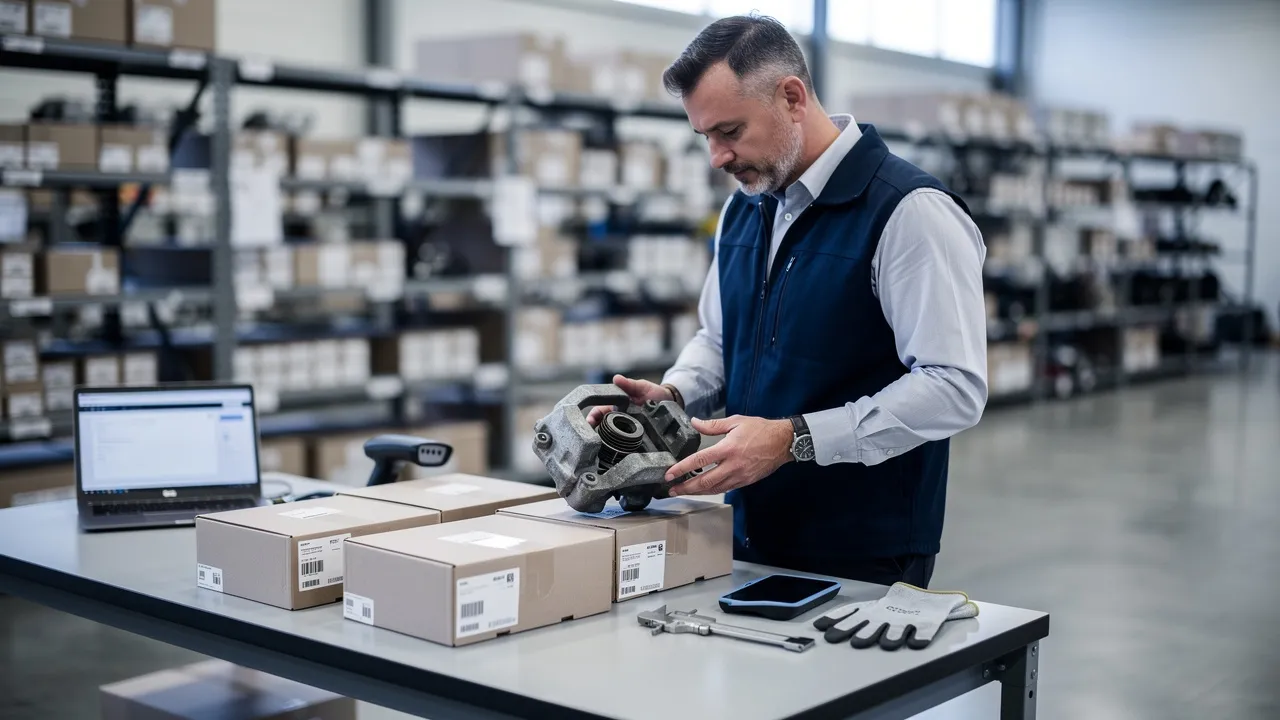
Start with the verification decision
The purchase decision has two separate tests: the part must suit your equipment, and the seller’s current terms must support the transaction after you order. A low quoted price or an outlet label answers neither test by itself.
Start by treating every listing, catalog result, or local offer as a lead to verify. You need enough information to identify the part, confirm fitment, understand its condition, check current availability and price, and learn what happens if the part arrives late, does not match, or cannot be used. The goal is not to collect the most listings. The goal is to find an option with no unresolved issue that could disrupt the repair or resale plan.
Use this decision sequence before committing:
- Identify the part. Record the part number, equipment identifier, VIN or serial number, and any superseded or cross-referenced numbers.
- Test suitability. Match the offer to the equipment, application, configuration, and required condition.
- Test the commercial terms. Confirm current stock, price, delivery, warranty, returns, restocking charges, and authorization requirements.
- Record the answer. Put the seller’s response and the date of verification beside the listing or quotation.
- Resolve gaps before payment. If fitment, condition, or seller responsibility remains unclear, ask a specific question rather than assuming the missing detail.
A suitable option is the one that passes both the equipment test and the seller-terms test. Keep those judgments separate throughout your search; a part can appear mechanically suitable while carrying return or warranty conditions that make the purchase unsuitable for your operation.
Identify the exact part before comparing offers
Part identity is the first practical gate because a description such as an engine, switch, panel, or assembly may cover multiple variants. Before comparing prices, create an identity record with the information you already have:
- Manufacturer or equipment brand, if known
- Model, series, year, and configuration
- VIN, serial number, or other unique equipment identifier
- Original part number and any superseded number
- Vendor, legacy, or cross-reference number
- Required side, position, voltage, dimensions, connection, or assembly relationship
- Quantity needed and whether the part is new, used, rebuilt, or interchangeable
A seller can use that record to answer a narrower question than “Do you have this part?” Ask whether the exact item fits the identified equipment and which number appears on the item or its inventory record.
A matching-looking number is not the same as a confirmed fit. Compare the full application and configuration, then ask the seller to identify any assumptions. If the seller cannot connect the offered item to your equipment record, pause the price comparison and resolve identity first.
Read condition and grading language consistently
Condition language is useful only when you know what the terms measure. The ARA Parts Grading and Description Guidelines standardize recycled-part descriptions and terminology to improve communication between recyclers, repairers, and insurers. Clear, standardized descriptions can help you judge recycled-part condition and options before ordering.
Ask the seller to define each grade or condition label in the same terms used in the listing. Request the details behind the label: inspection performed, visible damage, wear, testing, missing components, included hardware, and any known limitation. A grade without a description may still leave you unable to decide whether the part fits the job.
Mechanical and drivetrain parts such as engines, transmissions, transfer cases, and carriers can be graded A, B, or C under the ARA Quality Assurance Grid. The cited grading method considers vehicle age and mileage, with average yearly miles calculated by dividing mileage by vehicle age.
For the cited mechanical-parts criteria, the thresholds are specific:
- An A-grade engine requires the vehicle to have under 60,000 miles and average miles under 15,000 per year.
- A B-grade mechanical part has under 200,000 miles, with no limitation on average miles per year.
- A C-grade mechanical part has greater than or equal to 200,000 total miles regardless of vehicle age.
These figures describe the cited grading method. They do not establish a universal definition for every seller, equipment category, or part type. Ask which grading system the listing uses, what records support the grade, and whether the grade applies to the complete assembly or only to a component.
A named outlet offer may describe a commercial category rather than a condition grade. In Back Market’s cited policy, Outlet is a separate offer for fully functional devices that may show heavier signs of use than a Fair device; it is not an additional condition grade. The same policy says Outlet devices are offered at a lower price and that availability may vary over time and by market.
That example applies to the cited device policy, not automatically to equipment or vehicle parts. It gives you a useful question for any seller: does the label describe the offer, the physical condition, or both? For comparison, the cited Back Market policy gives smartphones, tablets, laptops, desktops, and smartwatches four grades—Premium, Excellent, Good, and Fair—while all other devices have two grades: Excellent and Good. The number and meaning of grades depend on the seller’s published system and the category being sold.
Record condition in plain language beside the seller’s label. Note whether the item is tested, inspected, repaired, rebuilt, or sold as-is; whether the listing identifies damage or wear; whether required brackets, connectors, fasteners, or accessories are included; and whether the photos show the actual item. If a seller will not explain the label or the condition record conflicts with the listing, treat the condition as unresolved.

Separate suitability from seller terms
Seller terms are a separate decision gate from fitment and condition. A part can match your equipment and still carry a delivery, warranty, authorization, or return condition that changes the purchase decision. Ask for the terms that apply to the specific item, not a general promise that returns or warranty support are available.
Check these commercial fields before ordering:
- Availability: Is the item physically in stock, allocated, incoming, or subject to a supplier confirmation?
- Price: Is the quoted amount current, and does it include the required item, core charge, freight, taxes, or other stated charges?
- Delivery: When will the seller ship, and what event starts the delivery estimate?
- Warranty: Who provides coverage, what failures qualify, how long does it last, and who pays for inspection, freight, labor, or replacement?
- Authorization: Do you need approval before returning the item, making a repair, or submitting a claim?
- Returns: What is the window, what condition must the item be in, who pays freight, and what restocking charge applies?
- Support: Who answers fitment questions and handles a mismatch after delivery?
Published policies show why you should not assume that one seller’s terms apply to another seller. Fairbank Equipment states that warranty claims for new equipment and parts furnished by manufacturers for resale are processed under each supplier’s warranty policy when the goods are returned to Fairbank Equipment. Fairbank Equipment also states that special orders require purchaser approval before ordering and cannot be returned for credit.
Under Fairbank Equipment’s cited return procedure, a stock return avoids restocking charges only if the request and freight-prepaid return are made within five working days, the merchandise is new, and its value is over $10.00. Under that same cited policy, a 20% minimum restocking fee applies when those conditions are not met, and no credit is issued for merchandise under $10.00.
A separate cited parts return policy requires returns within 180 days of the purchase date and says refunds are based on the Restocking Fee Schedule. Treat the five-day and 180-day periods as examples of different seller rules, not as a general return standard. Write the applicable seller’s deadline and fee beside your own order record.
Warranty language also needs an authorization check. Pacproinc’s cited terms state that unauthorized repairs or replacement parts void the warranty and that used equipment is not warranted to be free from defects in material and workmanship. Before installation, ask whether testing, repair, disassembly, or a replacement component requires written approval. Keep that answer with the quotation so a later claim does not depend on memory.
The ARA grading categories cover Body Parts, Mechanical Parts, and MISC Part types. Use the category to organize your comparison, but do not assume that a condition or warranty rule for a body part applies to a mechanical assembly. Match the policy to the actual part category and condition.
Do not let an attractive price close the decision before the terms are clear. If the seller cannot state the return route, warranty responsibility, or delivery condition for the specific item, mark the offer as commercially unresolved and continue asking questions before payment.

Compare the three purchasing paths
The three purchasing paths answer different parts of the sourcing problem: a Brookfield-area salvage source may provide a local used-part lead, an OEM or manufacturer catalog may provide a structured equipment reference, and a supplier or dealer portal may connect identification with ordering work. Compare all three against the same questions rather than choosing by channel name.
| Purchasing path | Check first | What would keep the path unresolved? | Direct next action |
|---|---|---|---|
| Brookfield-area salvage source | Exact identifier, inspection record, physical condition, current availability, price, warranty, return window, and exchange terms | The seller cannot match the part to your equipment or cannot explain what inspection and coverage include | Send the VIN, serial number, or part number and request written fitment, price, availability, and terms |
| OEM or manufacturer catalog | Current part number, supersession history, bill of materials, application notes, and the route from identification to a quote or order | The catalog shows a number but does not establish the required configuration or current commercial terms | Match the equipment record to the current number, then ask the relevant seller to confirm stock, price, delivery, warranty, and returns |
| Supplier or dealer portal | Search method, dealer-specific price, stock accuracy, order submission, tracking, account history, and support handoff | The portal shows an item but does not make the data freshness, permissions, seller responsibility, or return process clear | Run a sample identification and order workflow without treating the displayed result as final until the terms are confirmed |
A cited Brookfield-area seller states that its recycled OEM parts are pulled, inspected, and backed by a 90-day warranty. The same seller states that used engines, transmissions, switches, and body panels carry a 90-day warranty, with a 15-day return window and a 30-day exchange window. Record those statements as that seller’s stated terms, then ask whether they apply to the exact item you are considering.
The local route may be useful when you need a physical inspection or a nearby conversation, but proximity does not confirm fitment. The catalog route may give you stronger equipment context, but a part record does not by itself confirm current stock or seller terms. The portal route may reduce repeated calls, but a convenient workflow still depends on accurate records and clear responsibility after the order.
Choose the path that leaves the fewest important questions open for your specific repair or purchasing need. If two paths identify a suitable item, compare their current commercial exposure—delivery, warranty, return cost, and support—not just the displayed price.
Test the portal as an ordering and support process
A dealer portal can connect part search, ordering, and order status in one self-service path. Test the complete path instead of judging the search screen alone. You should be able to tell what information starts the search, which result represents the correct equipment record, what price and stock status apply to your account, how an order is submitted, and where support takes over.
A dealer portal should provide self-service access to orders, pricing, and stock information, with dealer-specific pricing, access controls, and appropriately updated stock data. Ask how often stock information is updated, which users can see or buy particular items, and whether the price shown is tied to your dealer account. Stock visibility is only useful for your decision when the underlying record is current enough for the transaction.
Run this short test with a representative equipment part:
- Search by the part number, VIN, serial number, or another supported identifier.
- Follow the result into the relevant assembly or part record.
- Check superseded numbers, description, condition, price, stock status, and account permissions.
- Add the item to an order path and note what information the system asks you to confirm.
- Submit or save the order according to the workflow, then locate order status and invoice history.
- Identify the support route for a mismatch, delay, damaged item, or warranty question.
After an online parts order is completed, tracking updates are sent by email to the address provided during checkout or associated with the portal account. Confirm which address your team will monitor and whether the workflow gives you a usable order reference.
Equip360 provides 24/7 access to a searchable, accurate parts catalog, online ordering, real-time order tracking, digital invoice history, and account management. Use those stated capabilities as a demonstration checklist rather than as proof that any particular outlet item is available.
Ask to see the identifier-to-order path in the context of your equipment data. The useful question is whether your team can move from the correct part record to a controlled order, then find the status and account history without losing the equipment context. Keep fitment, condition, and seller terms as separate checks even when the portal brings the workflow into one place.
A polished portal cannot resolve an incomplete or incorrect part record. Test data quality, pricing permissions, stock freshness, order status, and support ownership together. If any handoff is unclear, record the gap and ask who is responsible for resolving it before you rely on the portal for a time-sensitive purchase.

Record the evidence before choosing
A comparison sheet turns scattered calls, screenshots, catalog results, and policy pages into a decision you can review. Create one row for each offer and fill these fields before selecting an option:
- Identity: part number, superseded or cross-referenced number, equipment model, VIN or serial number, and quantity
- Fitment: seller’s confirmation, application or configuration, position, dimensions, connections, and unresolved assumptions
- Condition: new, used, rebuilt, inspected, tested, graded, or as-is; include the seller’s definition and supporting notes
- Availability: in stock, allocated, incoming, subject to confirmation, or unknown; record when the answer was received
- Price: quoted amount, currency, freight, taxes, core charge, and any other stated cost
- Delivery: shipping point, dispatch condition, estimated timing, and tracking method
- Warranty: provider, duration, covered failure, exclusions, authorization, claim route, and responsibility for freight or labor
- Returns: deadline, authorization, condition, freight, exchange option, restocking charge, and credit restrictions
- Support: contact, response route, fitment help, order-status help, and post-delivery responsibility
- Verification date: the date and time you checked each changing detail
Mark each field as confirmed, seller-stated but limited, pending, or not applicable. Keep seller terms attached to the exact offer; do not copy a return window from one listing into another row. If a policy gives a deadline, fee, or warranty condition, record the number and its condition together rather than writing only “returns accepted” or “warranty included.”
Choose the option with the fewest unresolved fields that matter to your operation, not merely the lowest quoted price. A slightly higher quote may be easier to evaluate if fitment, condition, delivery, warranty, returns, and support are clearly documented. Conversely, a low quote with unknown fitment or unclear return responsibility is not a completed comparison; it is an open question.
Before payment, ask the seller to update any time-sensitive field that has gone stale. Availability, pricing, delivery, and policy application can change, so keep the verification date beside each answer and replace assumptions with a current response.
Know when to seek professional evaluation
Professional evaluation is appropriate when a fitment mistake, installation decision, or warranty dispute could materially affect your equipment, schedule, or cost. Pause the purchase and seek qualified help when:
- The VIN, serial number, model, or part records point to different applications.
- Two sellers identify different current or superseded part numbers.
- A grade, inspection note, photograph, or test result conflicts with the listing.
- The part affects a safety-related, load-bearing, hydraulic, electrical, braking, steering, or powertrain function and the application is not clear.
- A warranty requires authorization, approved installation, or a specific claim process that your team cannot interpret.
- A special-order or nonreturnable item would create material exposure if it does not fit.
- The seller cannot state who handles a mismatch, failure, delay, or return.
- Your ordering system, dealer permissions, or ERP record does not show the same item information as the quotation.
Bring the professional a compact packet rather than a general request for advice. Include the equipment identifier, original and superseded part numbers, photographs, dimensions or connection details, seller listing, quotation, condition description, warranty and return terms, and your intended use. Ask for a written fitment conclusion or a clearly stated list of remaining checks.
A qualified technician may be the appropriate person for mechanical or installation questions. A parts specialist may resolve identification or supersession conflicts. Procurement, operations, or legal support may be appropriate when commercial exposure, authorization, or contract terms are material. Use the type of unresolved question to choose the right reviewer.
Do not force a purchase through an unresolved technical or commercial conflict. Keep the offer in a pending state until the relevant question has an accountable answer, then update the comparison sheet with the conclusion and date.
Choose the next information-gathering step
The next step is to turn your part record into a focused request. Send the relevant seller the part number, equipment model, VIN or serial number, configuration, required quantity, and any condition requirement. Ask for current availability, price, delivery, warranty, return terms, and support responsibility in the same exchange. Then place the response in your comparison sheet with the verification date.
If your wider need is a dealer workflow rather than a single item, use the same checklist to examine identification, catalog access, account pricing, stock visibility, order submission, tracking, invoice history, and support handoffs. A qualified professional should decide individual suitability when fitment, installation, or material warranty exposure cannot be established from the available records. The purchase decision is ready when the part fits the equipment and the seller’s current terms are clear enough for you to accept.
Bring the completed comparison sheet to the relevant seller or workflow discussion so the unresolved questions are visible from the start.
What should you confirm before buying outlet parts?
What information should I send when asking for outlet parts near Brookfield, Wisconsin?
Send the part number, equipment model and configuration, VIN or serial number, quantity, and any required condition or position details. Ask the seller to confirm fitment, current availability, price, delivery, warranty, return terms, and support responsibility for that specific item.
Does “outlet” describe a part’s condition or only the sales offer?
It depends on the seller. In the cited Back Market policy, Outlet is a separate offer for fully functional devices that may show heavier use; it is not an additional condition grade. For equipment or vehicle parts, ask whether the label describes physical condition, pricing category, or both, and request the seller’s grading definitions and inspection details.
What should I verify before buying a used engine or other mechanical part?
Confirm the application using the VIN, serial number, model, or part number, then check the seller’s inspection record, mileage or age information, grade, included components, and known defects. Also confirm warranty coverage, required authorization, return or exchange deadlines, freight responsibility, and whether the terms apply to the exact assembly.
How can a dealer portal help with an outlet-parts purchase?
A dealer portal can connect part search, ordering, and order status in one self-service workflow. Evaluate whether it supports the identifiers your team uses, shows account-specific pricing and current stock, preserves superseded or cross-referenced part numbers, provides order and invoice history, and clearly identifies support for fitment problems, delays, returns, or warranty claims. These capabilities do not establish that a particular outlet item is available.
Sources
- STANDARDS & CODES — bcautoinc.com
- Parts Return Policy — westernstatescat.com
- Dealer and Distributor Portal for Manufacturers — stackby.com, 2026-09-28
- Warranty & Return Policy - Pacproinc — pacproinc.com
- Warranty and Returns — fairbankequipment.com
- What condition will my device be in? | Help Center — help.backmarket.com
- How Used Parts are Graded on Condition at Chuck's! - Chuck's Auto Parts Solutions — chucksparts.com
- Junkyard Near Brookfield, WI: save money with salvaged parts | B&M Auto Sales & Parts INC Waukesha Wisconsin — bandmauto.com
- Tracking an Online Parts Order — knowledge.customtruck.com
- How to Order Equipment Parts Online: A Practical Decision Guide for Dealers — blog.genalpha.com, 2026-11-01