
Start with the task the manual must support
Equipment manuals are working references, not interchangeable files. An operation and maintenance manual is an authoritative reference for operating and maintaining equipment, and it typically includes operating procedures, maintenance schedules, spare-parts lists, safety requirements, and troubleshooting guidance.
For a service or warranty team, start with the question behind the request: does someone need to operate the equipment, maintain it, repair it, identify a part, or connect a claim to the correct unit? The answer determines which documentation should guide the next step.
A parts question should not automatically send you to an operating manual. An operating or maintenance question may need procedures, schedules, fluid information, or safety requirements, while a parts question may need an illustrated breakdown and a part number. A repair question belongs with service documentation for trained technicians rather than with a parts list.
That task-first distinction gives you a useful test for any format change: can you reach the information needed for the job, and can you tell that it applies to the specific equipment in front of you?
Match each manual type to the job
Owner’s and operator’s manuals support routine use, while service manuals support trained repair work. An owner’s manual is written for the end user and covers basic operation and safety. An operator’s manual covers routine maintenance, fluid specifications, and safe operation. A service manual is written for a trained technician and covers repair procedures, diagnostics, and technical specifications.
Use those documents for the work they are designed to support. Do not treat an owner’s manual as a repair procedure or assume that a parts manual explains how to fix a component.
A parts manual helps identify what a part is called and how an assembly fits together. Parts manuals usually include exploded-view diagrams, item numbers, part numbers, quantities, notes, and serial-number breaks. A parts manual does not usually explain how to repair a component; it shows what belongs where.
Use a parts manual when the immediate task is identification, ordering, comparing assemblies, or checking which components belong in a sub-assembly. If the task changes from identifying a component to diagnosing or repairing it, move to the applicable service documentation and trained personnel.
A practical routing check is simple:
- Operation or basic safety: start with the owner’s or operator’s manual.
- Routine maintenance: use the operator’s or operation and maintenance manual for the applicable schedule and specifications.
- Repair or diagnosis: use the service manual with a trained technician.
- Part identification: use the parts manual, especially its diagrams, item numbers, and serial-number breaks.
- Mixed support request: separate the operating, repair, and parts questions before assigning documentation.
For warranty work, keep the equipment identity and supporting documentation together. Apply the relevant warranty terms or ask the responsible authority about eligibility.

Compare paper manuals, PDFs, and interactive parts manuals
Paper manuals, PDFs, and interactive parts catalogs differ in how you reach information and connect it to a part. Use the comparison below to match the format to the work your team handles.
| Format | Access and navigation | Parts-identification fit | Maintenance considerations |
|---|---|---|---|
| Paper manual | It can remain accessible during a power failure when stored in an accessible location, but it does not provide the search function available in a PDF. | You must find the relevant page and interpret the diagram or list manually. | It can be difficult to keep current, and pages can be damaged or marked. |
| It can be searched and accessed digitally, including from more than one location when the file is available there. | A static PDF can still require manual interpretation of part numbers and selection by model, configuration, or serial range. | Files need backup because they can be corrupted; digital storage or licensing may create ongoing costs. | |
| Interactive parts catalog | Visual parts can link to an associated parts list and related documents on a device. | Searchable diagrams and linked lists can connect a selected component with its parts information; capabilities vary by implementation. | Digital content needs controlled updates, backups, and clear access management. |
Digital manuals can be accessed remotely from multiple locations, searched, updated, and used to manage access rights. Those advantages do not remove the need for administration: digital manuals need backups because files can be corrupted, and they may involve ongoing licence and data-storage costs.
Paper has a different strength. A hard-copy manual can remain available during a power failure when it is stored where your team can reach it. The trade-off is that paper does not offer search, can be damaged, and can be challenging to update.
Documentation updates matter whenever equipment or its systems change. Regular updates help keep operation and maintenance information accurate, relevant, and useful as equipment and systems change. An interactive catalog adds a separate question: do the visual parts, associated list, and linked documents reflect the same approved product data?
Treat digital format as a way to improve access and navigation, not as proof that the information is current. Check the update owner, backup arrangement, access rules, and relationship between the parts data and the manual content before you replace a paper or PDF workflow.
Identify the equipment before identifying the part
Equipment identity comes before part identity. The model number helps locate product literature, while a serial number may identify an individual unit for service. Record the manufacturer and complete model number, including any suffix, from the equipment identification label.
Use a short identity check before opening a manual:
- Record the manufacturer and the full model designation from the label.
- Record the serial number when the service task or parts data uses unit-level identification.
- Match the label against the supplier order, installer handover, or original selection schedule.
- Resolve any discrepancy before assembling or assigning the manuals.
This sequence gives your team a defined starting point instead of asking a manual to compensate for an unknown machine.
A product-family name is not enough to establish a match. A substitution or late availability change can result in different equipment being installed, and similar product-family names may have different controls, installation requirements, or maintenance procedures. Resolve discrepancies between the equipment label and the supplier order, installer handover, or original selection schedule before assembling the manuals.
When the label and the documentation disagree, pause the parts or service handoff. Do not select a component from a similar model merely because the diagram looks familiar.
Engine identity can add another layer to the check. An engine may have its own model and serial number, and some engine components may require the engine identity rather than only the machine serial number.
For equipment with a separately identified engine, capture both identities when the requested component belongs to the engine. If you cannot establish which identity governs the part, send the question to the manufacturer or an authorized service provider rather than guessing.
Use BOMs and visual structure to narrow the choice
Our Equip360 interactive 2D/3D BOM catalogs help users identify parts and access associated manuals, videos, or other documentation. We enable users to search by serial number, VIN, model number, job number, or another unique identifier to view associated assemblies and bills of materials.
We also allow equipment owners, operators, and technicians to review interactive sub-assemblies and add parts to a cart from 2D or 3D drawings. Use those capabilities when your workflow needs a path from an identified machine to its associated parts structure and supporting documents.
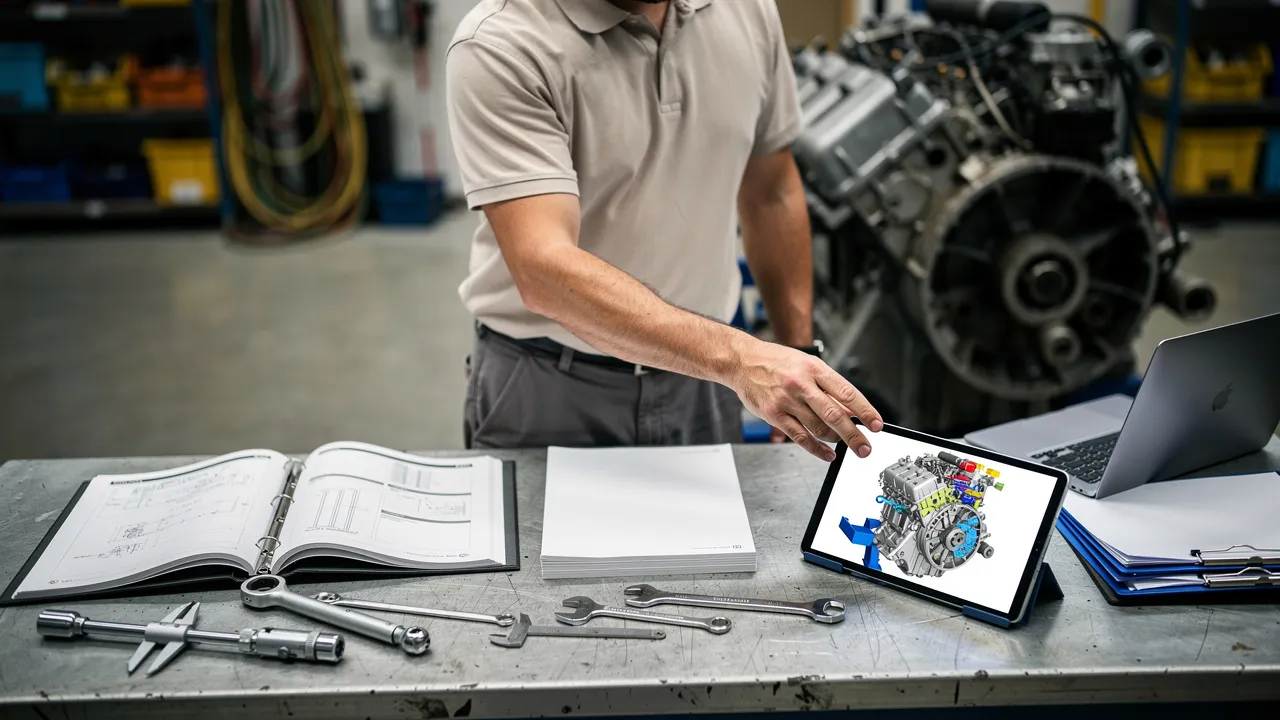
An interactive 3D spare-parts catalog can let you rotate, pan, and zoom an exploded assembly view to see physical relationships between parts and match screen geometry to the machine. That visual navigation is useful when several components look similar in a flat list.
Before adopting any visual workflow, ask whether the underlying assembly, configuration, and identifier data are maintained for the equipment you support. A clearer picture cannot correct an incorrect or incomplete source record.
Check documentation readiness before changing formats
Documentation readiness is a data and ownership question, not only a format question. Missing or outdated operation and maintenance manuals increase the risk of incorrect maintenance, warranty voidance, and regulatory non-compliance. Establish who owns the source information and how changes reach the working documentation before moving from paper or PDF to a digital workflow.
Use this readiness check with your service and warranty teams:
- Parts data: Are part numbers, descriptions, quantities, notes, and applicable serial breaks available?
- BOM structure: Can you move from the machine to an assembly, sub-assembly, and individual item?
- Configurations: Can the documentation distinguish model variations and equipment-specific builds?
- Identifiers: Which model, serial, VIN, job, or other identifier selects the applicable record?
- Update ownership: Who keeps procedures, parts lists, diagrams, and linked documents current when equipment changes?
- Access and backup: Who can reach the information remotely, and how are digital files backed up?
- System connections: Can the service view connect with parts catalogs, customer-specific commerce, and ERP order processing?
Use the answers to define the work a new format must support. Do not begin with a visual interface and postpone the data questions.
We provide Interactive Parts Manuals through Equip360 that tie each machine to a complete, accurate bill of materials specific to its serial number or configuration. We design Equip360 for complex equipment with deep BOM structures, multiple configurations, and long equipment lifecycles, and Equip360 integrates with parts catalogs and ERP data.
We also combine Interactive Parts Manuals with eCommerce to highlight preventive-maintenance parts and intervals. Treat those statements as the scope of our configured platform, then test your own equipment records, configuration rules, and system handoffs against the service workflow you need to support.
Compare paper, PDF, and interactive parts manuals
Choose paper, PDF, or an interactive parts manual by the support task, not by format alone. Paper or PDF may be sufficient when the applicable documentation is easy to reach and gives the team the needed operating, maintenance, service, or parts information. A static PDF parts manual can still require manual interpretation of part numbers, selection by model, configuration, or serial range, and re-entry into a disconnected ordering system. Printed or PDF catalogs and electronic parts catalogs can also make it difficult to connect parts lists with diagrams, contributing to inaccurate orders and equipment downtime while the right part is located.
An interactive parts manual is worth considering when the support task depends on linking a visual parts list with associated documentation. Compare each format for access, navigation, parts identification, update needs, and the handoff to the next support activity.
A connected catalog can provide accurate, up-to-date information and may reduce errors and speed equipment repair, but that outcome remains dependent on the information and workflow behind it. We include integrated parts lookup tools with visual diagrams and product data in Equip360, and we support using a unique equipment identifier to search a bill of material when you do not know the part number.
Choose this format when identifier-based access, visual lookup, associated documentation, and the parts handoff are all part of the problem you need to solve. If the source BOM or configuration data cannot distinguish the equipment, fix that boundary before relying on the interface.
Stop and seek qualified help when documentation cannot safely guide the work
Safety documentation takes priority over parts convenience.
If the manual is missing, ambiguous, or does not match the equipment, do not fill the gap with a similar model, an assumed part, or an improvised procedure. Contact the equipment manufacturer, an authorized service provider, or another qualified professional for the applicable documentation and direction.
Treat the following signs as reasons to stop the documentation workflow and escalate:
- The unit malfunctions or behaves in a way the applicable manual does not explain.
- A warning, danger, or caution instruction applies and the required response is unclear.
- The equipment label, serial information, or configuration does not match the manual.
- The task would require entering a danger zone or working without the required qualification.
- The instructions conflict with the equipment, its operating conditions, or another approved document.
Warning indicates a hazardous situation that, if not avoided, could result in death or serious injury. Caution indicates a hazardous situation that, if not avoided, could result in minor or moderate injury.
Have only qualified personnel work on the system, and keep unqualified personnel away from its danger zone.
The immediate action is to preserve the equipment and people from added risk, capture the identity and documentation mismatch, and involve qualified help.

Bring your documentation workflow to the next conversation
The format decision should follow one representative equipment journey, not a preference for paper or digital files. Bring the manufacturer, complete model and serial information, the relevant configuration, the parts or BOM question, the documentation currently used, and the desired service handoff. Then ask whether the workflow can preserve the equipment match from identification through parts action and supporting documentation.
We provide Equip360 Interactive Parts Manuals for teams evaluating serial- or configuration-specific BOM access, visual parts lookup, associated documentation, and connections with parts catalogs and ERP data. A qualified professional should decide individual suitability for your equipment, workflow, and safety requirements.
Prepare one real service or parts-identification scenario and use it to test the data, navigation, update ownership, and handoff questions that matter to your team.
What should teams verify before replacing an equipment manual?
How do I find the correct manual for a piece of equipment?
Start with the manufacturer, complete model number - including any suffix - and serial number from the equipment identification label. Compare those details with the supplier order or handover records, and check any separately identified engine model or serial number when the part belongs to the engine. If the records do not match, ask the manufacturer, an authorized service provider, or another qualified professional instead of using a similar model’s manual.
Can a PDF equipment manual replace a service manual?
Not automatically. A PDF is a delivery format, while a service manual is documentation for trained technicians that may contain repair procedures, diagnostics, and technical specifications. Use the applicable service documentation for repair work; a PDF may be suitable only if it contains the correct, current service information for that specific equipment.
What should a manufacturer check before converting parts manuals to a digital format?
Check whether the source data includes accurate part numbers, quantities, notes, serial breaks, structured bills of material, equipment configurations, and reliable identifiers such as model or serial numbers. Also define who owns updates, how files are backed up, who controls access, and whether the parts view can connect with related documentation and ERP or ordering workflows.
How much do interactive parts manuals cost?
There is no reliable universal price. Cost can vary with equipment complexity, content scope, BOM and configuration requirements, update ownership, integrations, licensing, storage, and implementation work. Define the equipment journeys and required handoffs first, then evaluate pricing against that documented scope.
What should a team do when a manual is missing or does not match the equipment?
Pause the service or parts decision and preserve the equipment identity information, including the manufacturer, full model, serial number, configuration, and any relevant engine identity. Do not guess from a similar model or use an assumed part. Obtain the applicable documentation and direction from the manufacturer, an authorized service provider, or another qualified professional.
Sources
- O&M MANUALS | Guide, Format, Documents, File, And Template - Constructandcommission.com - constructandcommission.com
- Operation and Maintenance Manual - tractian.com
- Service Manual vs Operators Manual vs Parts Manual: Which Do You Need? - themanualstore.com, 2026-05-11
- Safety Instructions for Products and Equipment Contents - cercell.com
- Integrate BOM With eCommerce Portal - Systems Online - sysonline.com
- Manual Types Explained: Owner's vs. Service vs. Parts vs. Admin - cpgcanhelp.com
- How to hand over appliance manuals by exact model number | LeanLine - goleanline.com
- How to Order the Right Equipment Part by Model and Serial Number | ICON Equipment - icon-equip.com
- What is an Interactive Parts Catalog? - Metanoia - metanoiacorp.com
- Maximize ROI With An Interactive 3D Spare Parts Catalog - Systems Online - sysonline.com
- Best Interactive Parts Catalog Software (2026 Tools Review) - vntana.com
- Warning: Read The Signs! | OSHA Safety Manuals - safetymanualosha.com